Gigamedia cameras offer different levels of advanced features depending on the model.
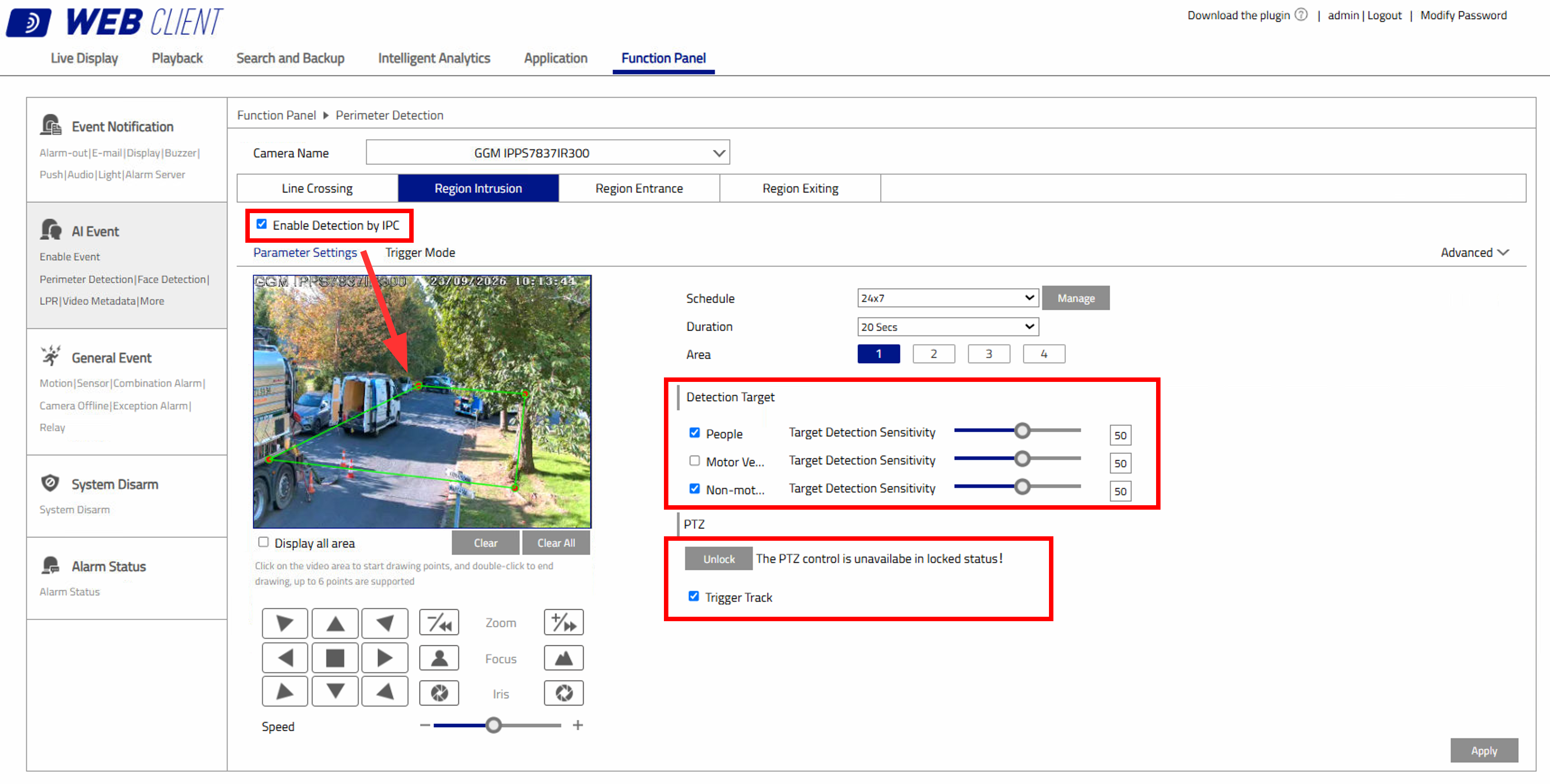
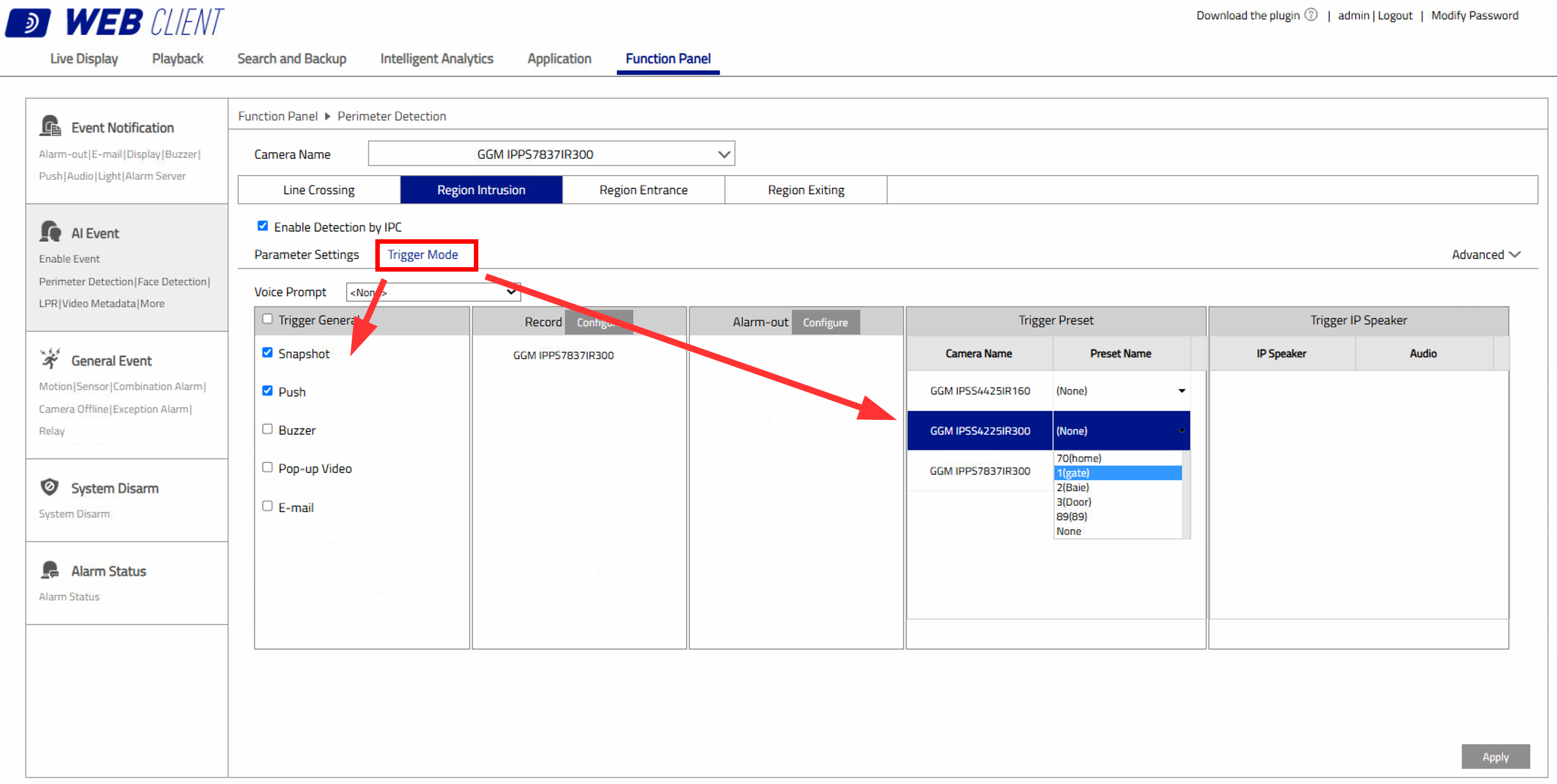
The example below shows perimeter detection from the standard range, including automatic target tracking, available
exclusively on PTZ cameras.
To enable this feature, access the camera interface and select AI / Events.
The screenshots below show the Web interface. The HDMI interface follows a similar layout.
To enable automatic tracking, the PTZ must be locked. If it is not locked, the tracking function will not operate.
Was this article helpful?
That’s Great!
Thank you for your feedback
Sorry! We couldn't be helpful
Thank you for your feedback
Feedback sent
We appreciate your effort and will try to fix the article