Valid for the following ranges:
- Gamme Standard GGM IPS
- Gamme Advanced GGM IPA
- Gamme Pro GGM IPP
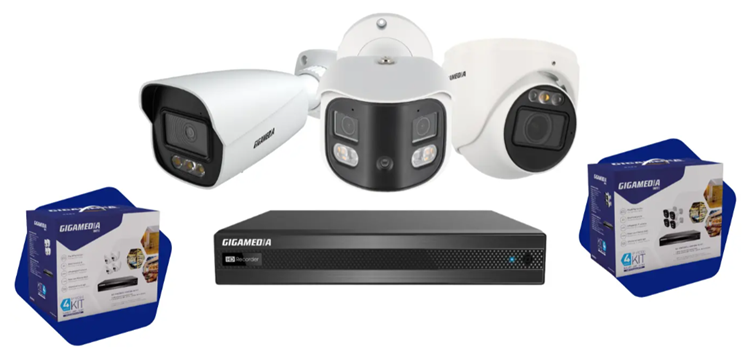
This article applies only to certain references *
Some cameras have a MicroSD card slot locally.
So you have the option to record video footage or images.
The recording time will depend on the capacity of your MicroSD card.
Type : MicroSD
Max capacity: 256 Gb
Choose "video" compatible cards
- Insert the MicroSD card into the camera.
- Log in to the camera's web interface:
Default IP address: 192.168.226.201
Identifier: admin
Password: 123456 or password set by the user when logging in for the first time
- Go to the Configuration /System/Storage menu
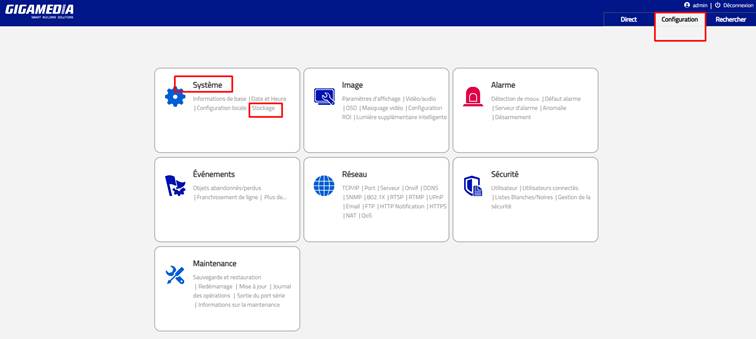
- Format MicroSD card: Your MicroSD card must be recognized and properly formatted.
Make sure the total capacity is detected according to your MicroSD card.
Otherwise click on the FORMAT button
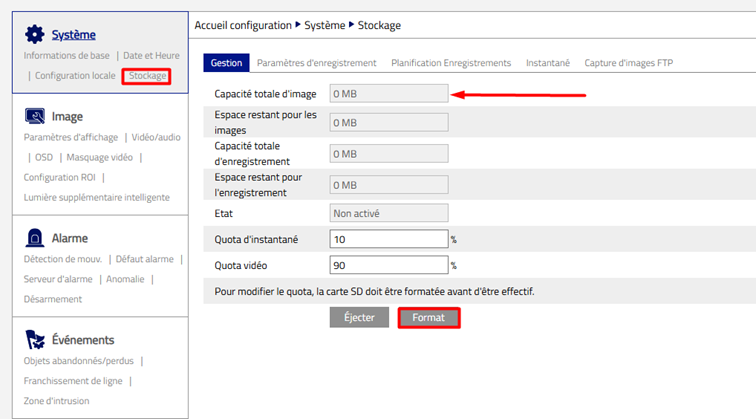
Confirm with OK
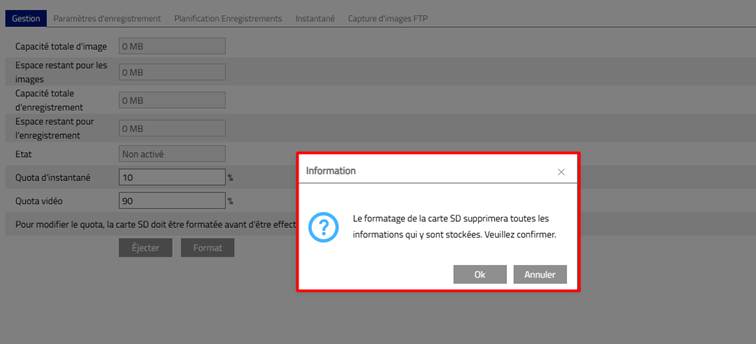
In our example, the capacity of the MicroSD is 32GB. It is now operational.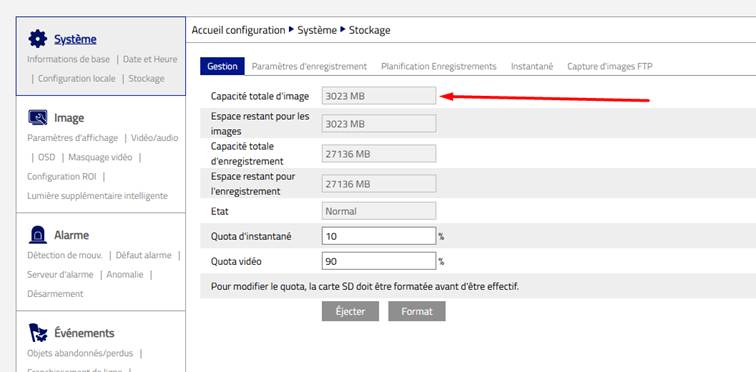
- Enable Recordings:
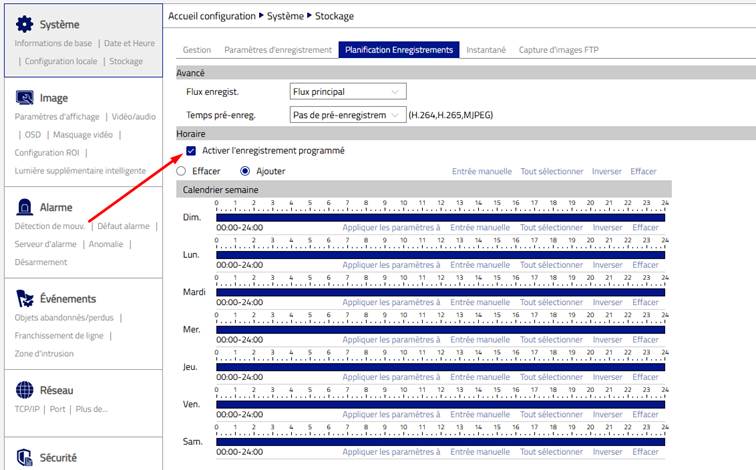
If you want to record continuously:
Menu Schedule Recordings and enable scheduled recording and then set the recording schedule according to a schedule.
If you want to record on an event:
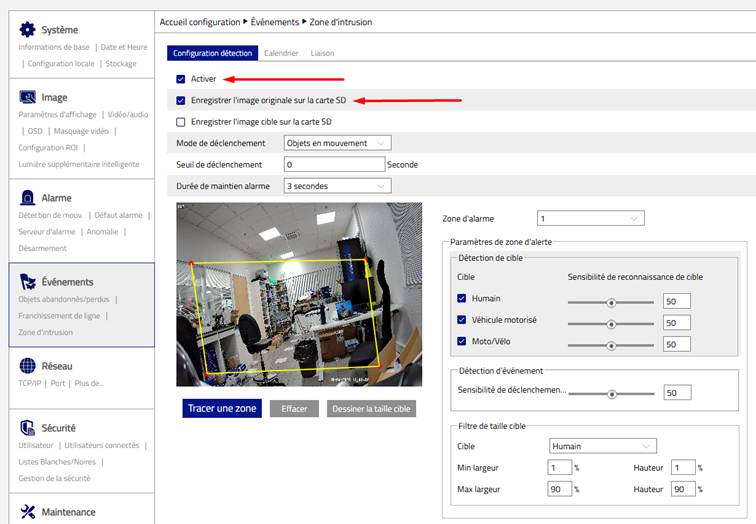
Choose the Events Menu according to your needs (perimeter intrusion, line crossing,...)
Example: Recording people according to an intrusion zone:
- Enable and set the intrusion zone:
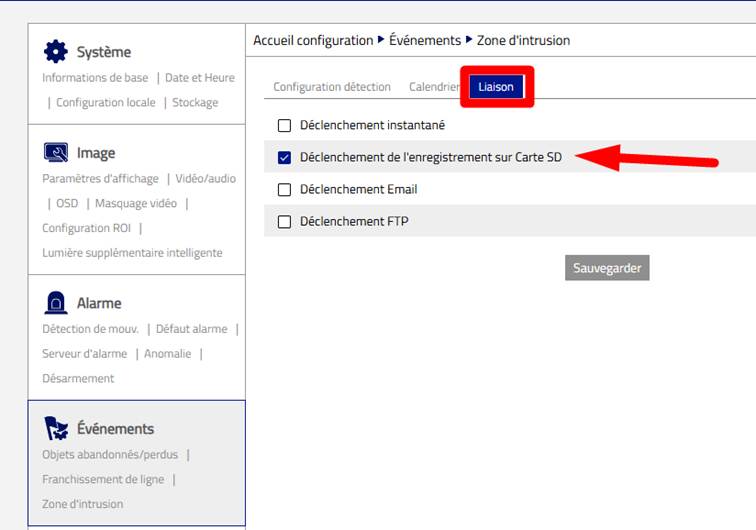
Then find the Link tab and select: Trigger recording to SD card then Save
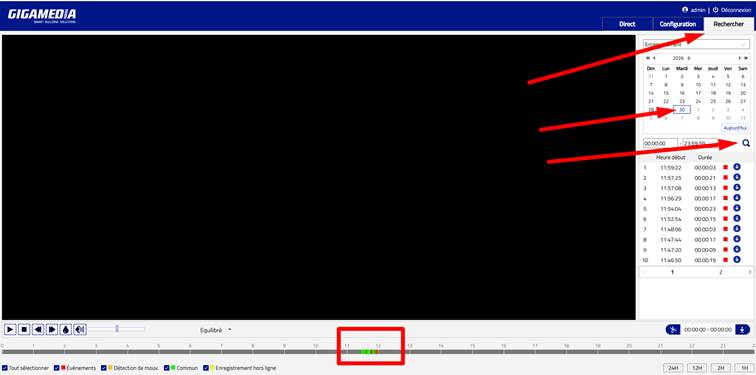
Replay of recordings:
Search Menu
- Select the desired day in your calendar
- Click on the magnifying glass to view the list of events
In our example:
- Events in red = Perimeter intrusion
- Events in green = Continuous recording
* Valid for the references below:
- GGM IPAD4F2IR
- GGM IPAD6F2IR
- GGM IPAD8F2IR
- GGM IPAD4VM2IR
- GGM IPAD6VM2IR
- GGM IPAD8VM2IR
- GGM IPAT4F2IR
- GMM IPAT6F2IR
- GGM IPAT8F2IR
- GMM IPAT4VM2IR
- GMM IPAT6VM2IR
- GGM IPAT8VM2IR
- GGM IPAB4F2IR
- GGM IPAB4VM2IR
- GMM IPAB6F2IR
- GGM IPAB8F2IR
- GGM IPAB4VM5IR
- GMM IPAB6VM2IR
- GMM IPAB8VM2IR
- GGM IPAS5432IR300
- GGM IPPTT5AAA
- GGM IPPTT5ABB
- GGM IPPF121IR
- GMM IPPA4F2IR
- GGM IPPBP8F2DL
- GGM IPPTP8F2DL
- GGM IPPBT5AAA
- RCD IPPBT5ABB
- GGM IPPBL4VM2IR
- GGM IPPBL4VM8IR
- GGM IPPBT4BBC
- RCD IPPBT4BDD
- RCD IPPBT4BDE
- GGM IPPS7837IR300
- GGM IPSD4F2DL
- GGM IPSD6F2DL
- GGM IPSD8F2DL
- GGM IPSD4VM2IR
- GMM IPSD8VM2IR
- GGM IPST4F2DL
- GGM IPST6F2DL
- GGM IPST8F2DL
- GGM IPST4VM2DL
- GGM IPST6VM2DL
- GGM IPST8VM2DL
- GGM IPSC6F2IR
- GGM IPSB4F2DL
- GGM IPSB6F2DL
- GGM IPSB8F2DL
- GGM IPSB4VM2DL
- GGM IPSB6VM2DL
- GGM IPSB8VM2DL
- GGM IPSP143IR30
- GGM IPSS344DL50
- GGM IPSS4225IR300
- GGM IPSS4425IR160
Was this article helpful?
That’s Great!
Thank you for your feedback
Sorry! We couldn't be helpful
Thank you for your feedback
Feedback sent
We appreciate your effort and will try to fix the article