*Valid only for the following references :
- GGM NVA321604MR
- GGM NVA320002MR
- GGM NVA320004MR
- GGM NVA160002R
- GGM NVA161602R
- GGM NVP2560016MR
- GGM NVP1280016MR
- GGM NVP640016MR
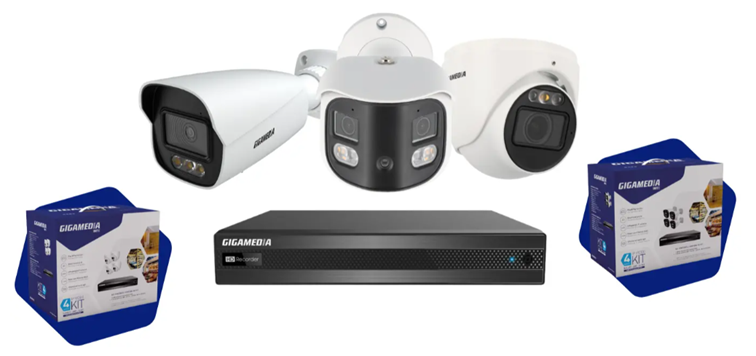
Some recorder models have alarm inputs (Alarm In) and alarm outputs (Alarm Out) allowing the recorder to be connected to external equipment.
Alarm input :
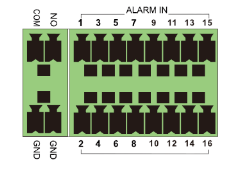
Wiring diagram :
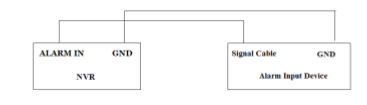
The alarm input is an open/closed relay.
If the input is not an open/closed relay, then use this diagram:
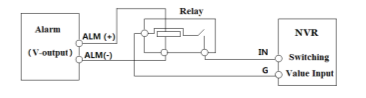
The inputs allow an external dry contact to trigger an action on the recorder.
Examples:
- Contact of a door or window
- Intrusion control unit
- Push button
When a contact changes state (opening or closing), the recorder can:
- Start a recording
- Trigger a buzzer
- Send an email
- Display a full-screen camera
- Trigger an alarm output
- Send a notification
Alarm output :
Use of NO and COM ports according to these 2 scenarios:
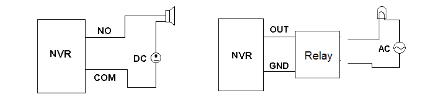
The outputs are generally relays allowing the NVR to control external equipment.
Examples:
- Siren
- Gyrophare
- Lighting
- Intrusion control unit
- Automate
When an event occurs:
- Motion detection
- Intrusion
- Camera disconnection
- Alarm input enabled
The NVR closes or opens the output relay.
On the web interface side:
Configuration / System menu then AI and Sensor Events
Alarm input :
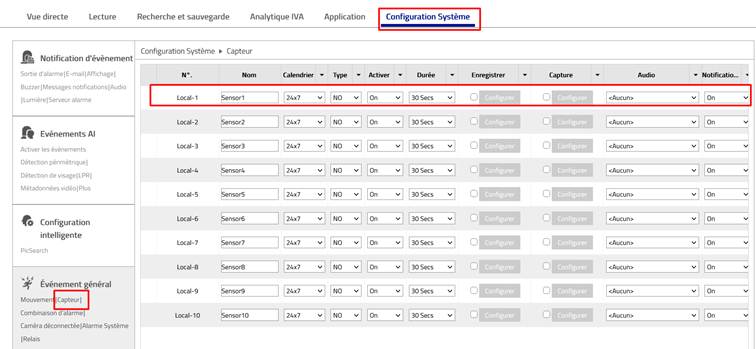
Select the specific contact and then configure it according to your needs:
- Type : NO (Normally Open) or NC (Normally Closed)
- Duration: (1 to 120 seconds
- Calendar: Can be specific times
- Action: Save, screenshot, notifications, etc
Alarm output :
Example: Line crossing on camera 1
System menu , then Perimeter Detection, then Line Crossing tab.
Select the tab: Trigger mode and select the Alarm Output column
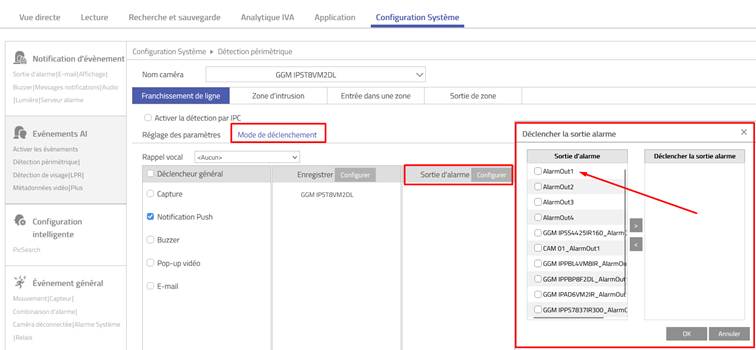
* Some standard range models only support alarm input/output from IP cameras
Was this article helpful?
That’s Great!
Thank you for your feedback
Sorry! We couldn't be helpful
Thank you for your feedback
Feedback sent
We appreciate your effort and will try to fix the article