Valid for the following ranges :
- Essential GGM NVI Range
- Standard GGM NVS Range
- Advanced GGM NVA Range
- Pro GGM NVP range
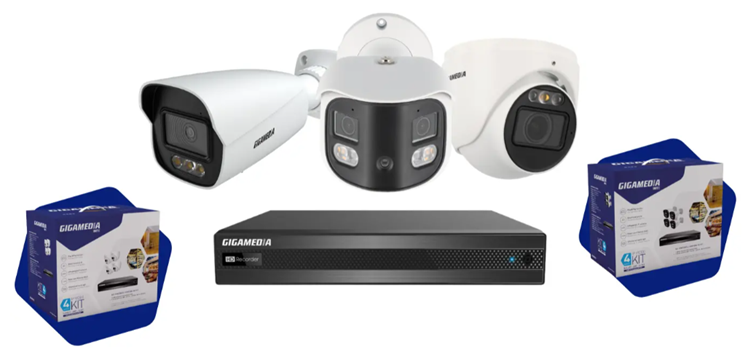
This article applies only to certain references *
Why disable certain POE ports on your recorder?
Disabling a PoE port can be useful in a few situations:
- Remotely turn off the power to a camera to restart or turn it off
- Limit unwanted connections on an unused port, in addition to network security measures.
- Facilitate troubleshooting, by isolating a suspicious device or cable.
- Avoid powering a device that is not intended for PoE, especially if you are using this port to connect equipment with uncertain cabling or PoE compatibility.
- Reduce power consumption if the port is not in use – the gain is usually low, as the port normally only provides the power requested by the device.
However, disabling a port does not necessarily turn it into a standard network port: it may remain assigned to the cameras' internal network, or it may be unusable for connecting a switch.
How do you disable a POE port on your recorder?
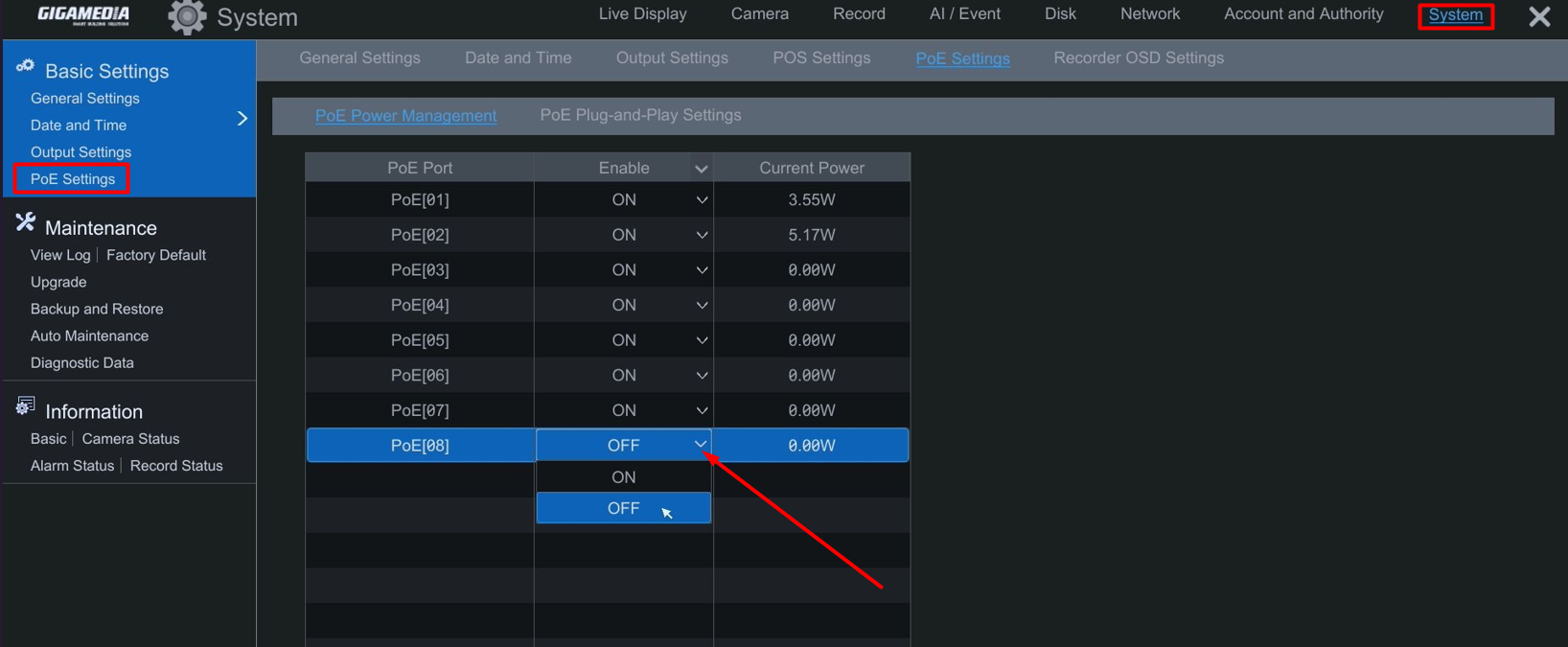
On the GUI side :
Configuration menu, then System and PoE settings :
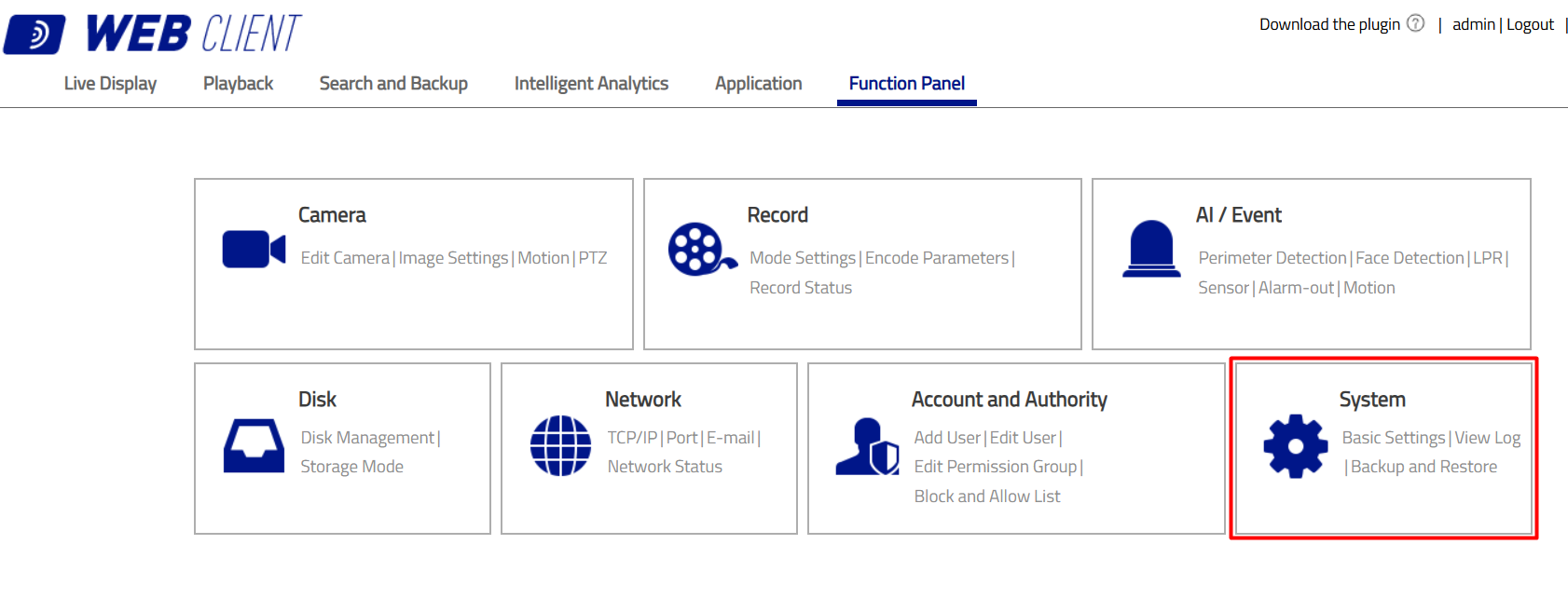
On the WEB interface side:
Configuration menu then System :
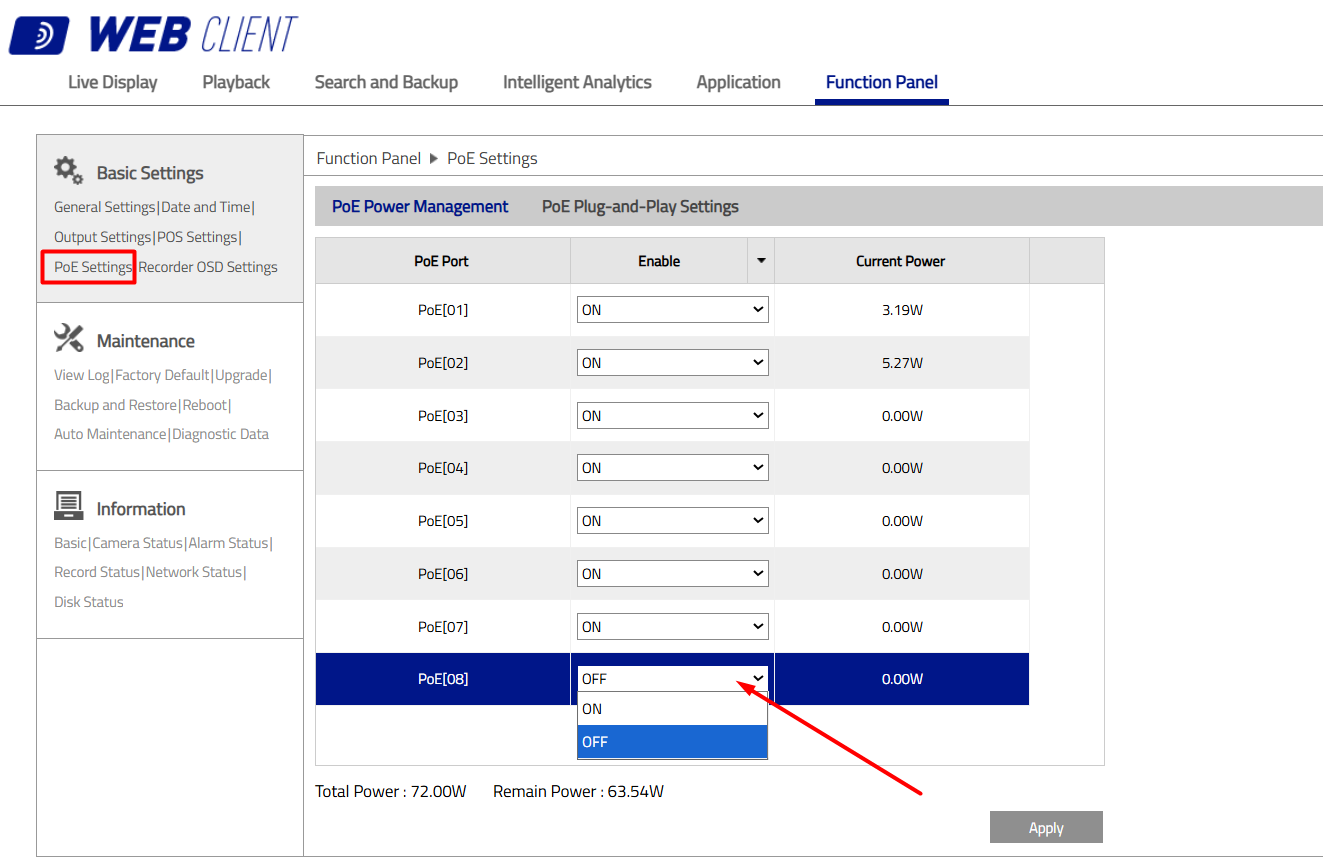
Tab PoE Settings and select the POE port(s) to disable.
Switch Off and then Validate.
* Valid for the references below :
- GGM NVA321604MR
- GGM NVA161602R
- GGM NVS040401D
- GGM NVI080801D
- GGM NVI040401D
Was this article helpful?
That’s Great!
Thank you for your feedback
Sorry! We couldn't be helpful
Thank you for your feedback
Feedback sent
We appreciate your effort and will try to fix the article