Valid only for the following references :
- GGM NVA321604MR
- GGM NVA320002MR
- GGM NVA320004MR
- GGM NVP2560016MR
- GGM NVP1280016MR
- GGM NVP640016MR
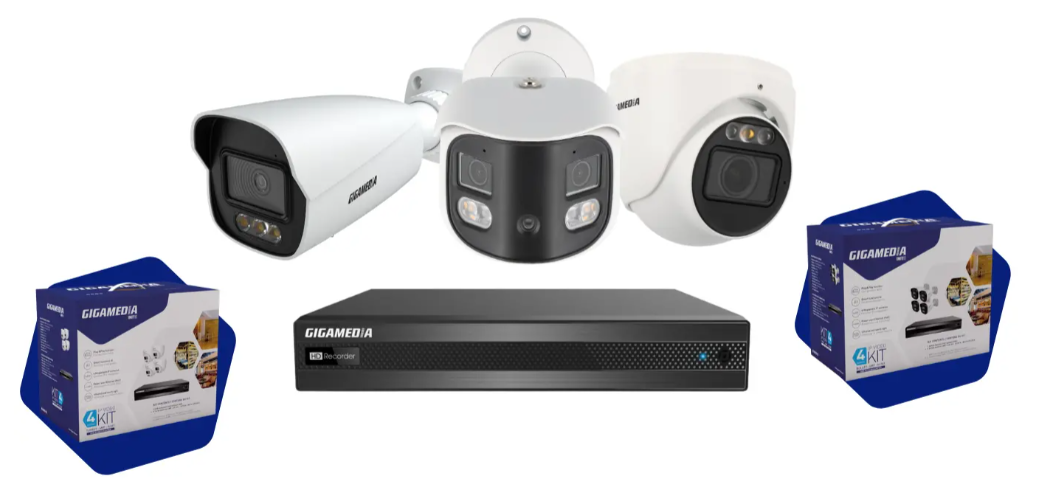
On some recorder models, the Spot function (or secondary output) refers to a video output dedicated to live camera display, independent of the main screen.
It allows you to connect a second screen that will display only the cameras in real time.
This feature is useful when you want a remote supervision screen without giving access to the recorder settings.
Example with the reference : GGM NVA320002MR
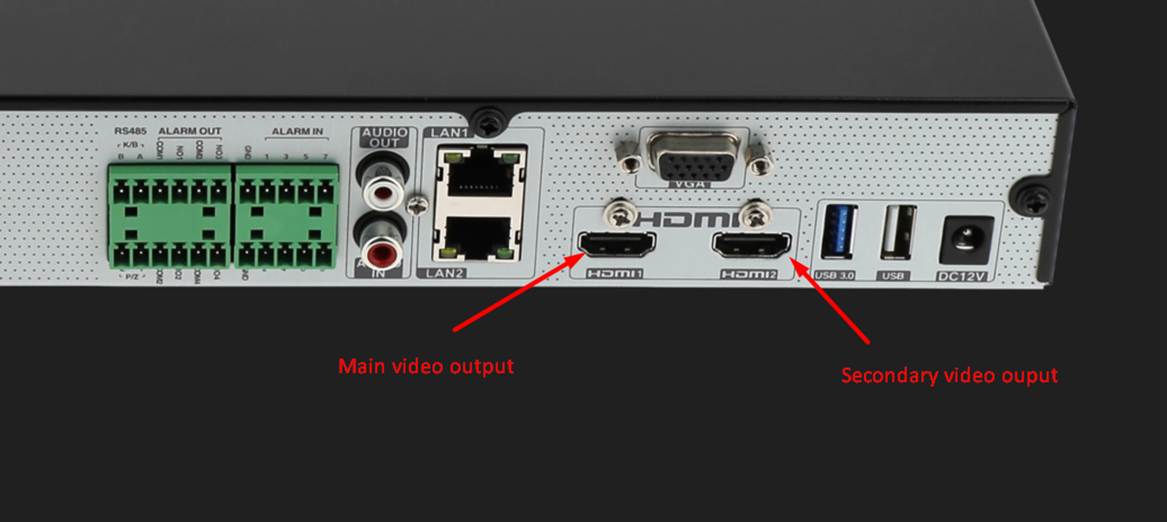
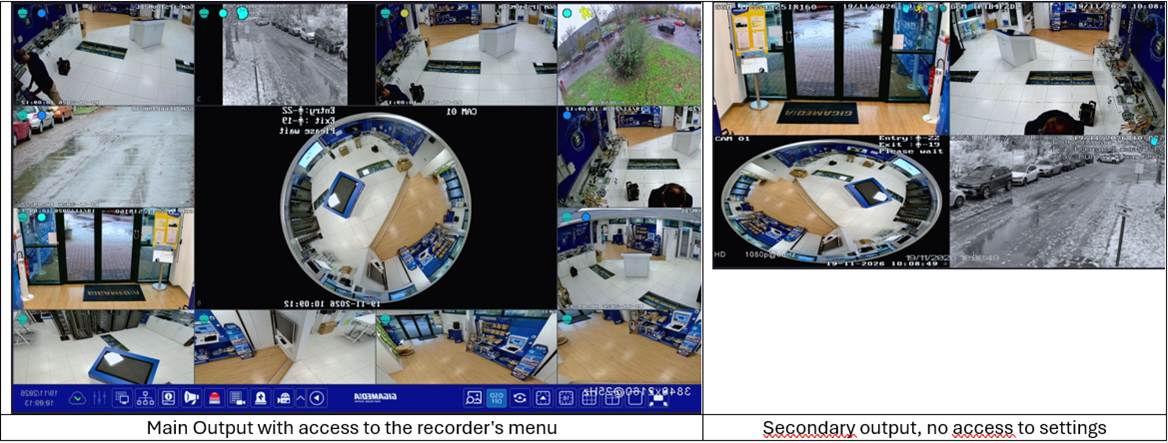
On the graphical interface side:
Configuration / System menu then Output Settings
TAB Main Output:
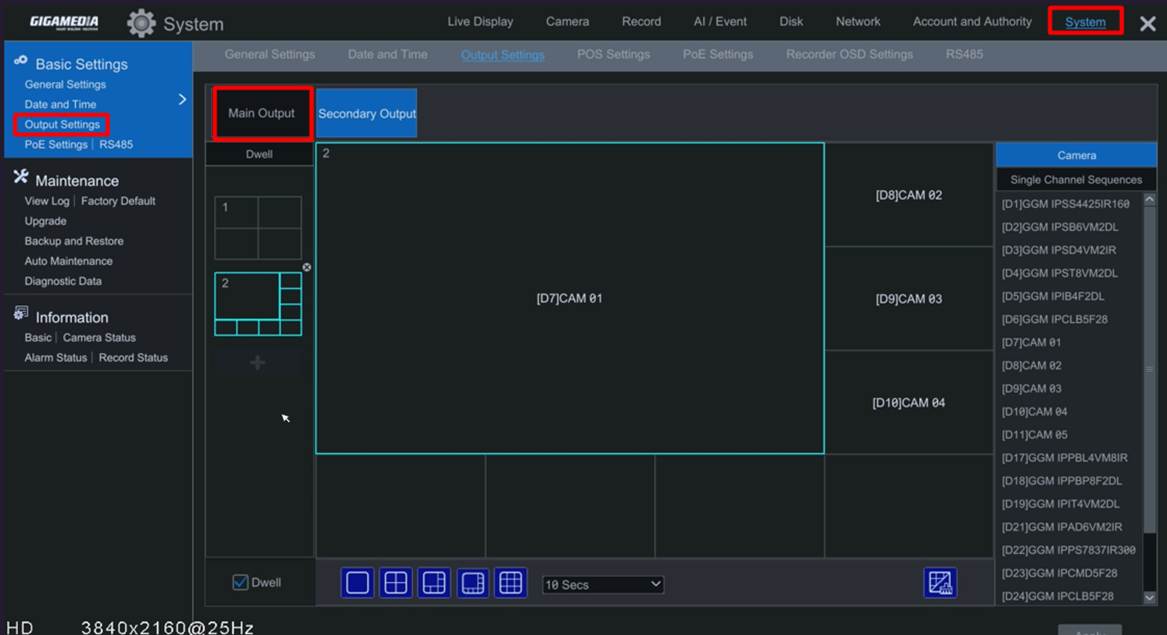
Possibility to:
- choose the display mode (2x2 or 4x4,..)
- Create different windows
- Automatically scroll through cameras or windows (Switch function)
TAB Secondary Output :
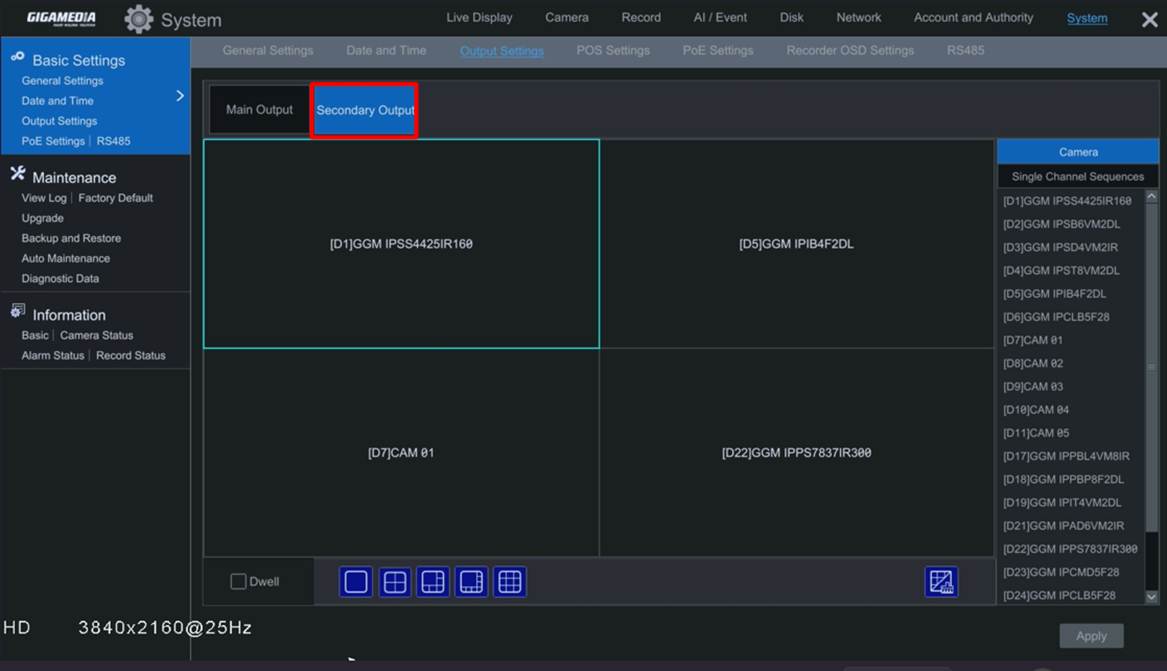
Launching the SWITCH function :
In the main window, in the Menu bar, choose the SWITCH function and set the scroll time:

On the secondary display side:
Enabling the Switch option:
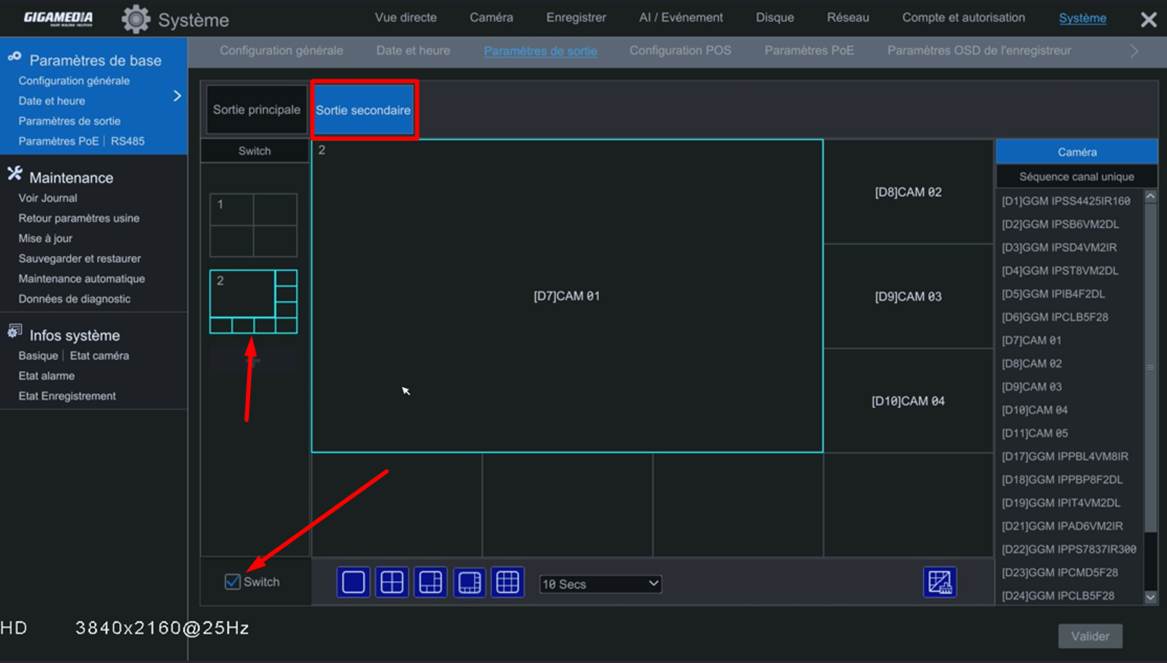
Was this article helpful?
That’s Great!
Thank you for your feedback
Sorry! We couldn't be helpful
Thank you for your feedback
Feedback sent
We appreciate your effort and will try to fix the article