Valid for the following references:
- GGM NVA321604MR
- GGM NVA320002MR
- GGM NVA320004MR
- GGM NVA160002R
- GGM NVA161602R
- GGM NVP2560016MR
- GGM NVP1280016MR
- GGM NVP640016MR
- GGM NVS160001D
- GGM NVS080801D
- GGM NVS040401D
- GGM NVI080801D
- GGM NVI040401D
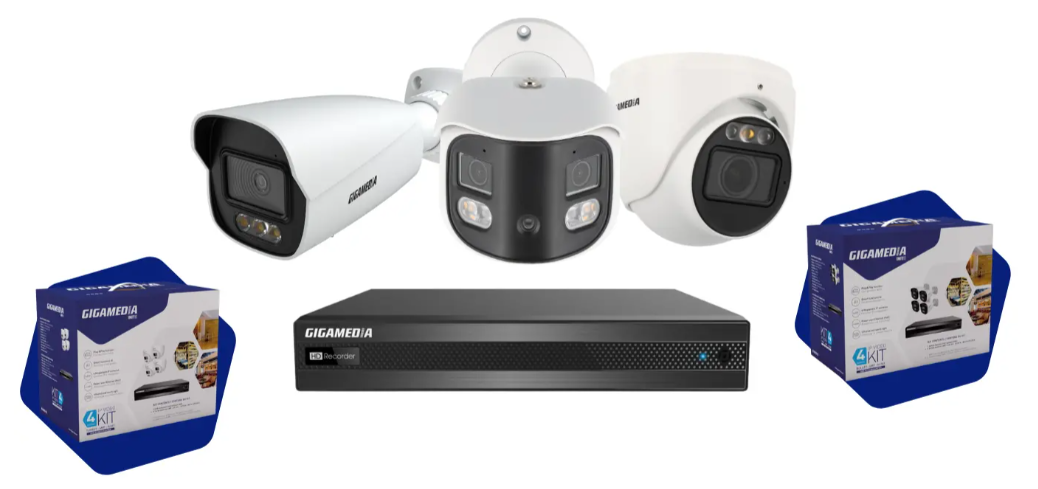
Recommendations
It is recommended that you take a backup of your configuration for several reasons:
- Make a backup at the end of your first provisioning or when you've made significant changes.
- Keep the backup file in a safe and secure place.
- Possibility to save directly to a USB stick from the graphical interface.
- If your recorder becomes out of order and you need to replace it, then restoring the configuration will be very quick.
Caution : Check that the replacement model must be identical and have the same firmware to restore your configuration.
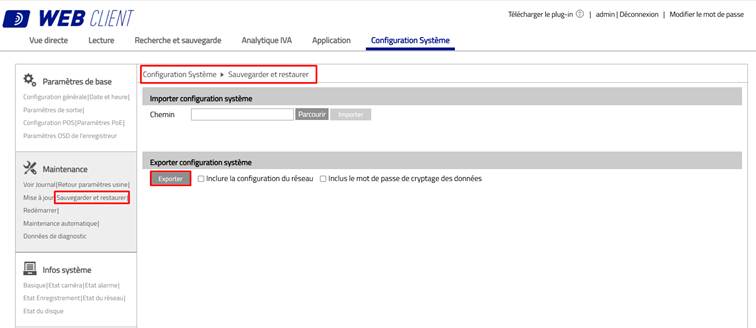
Export System Configuration:
System Configuration menu, then Backup and Restore
Choose the Export line and click on the Export button
Possibility to :
- Include network settings
- Include password data encryption
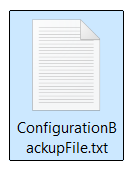
The file is downloaded automatically and is called by default: ConfigurationBackupFile.txt
PS: It is possible to perform the same operation locally from the graphical interface of your recorder using a USB key.
Import System Configuration:
System Configuration menu, then Backup and Restore
Choose the Import System Configuration line and click Browse to select the configuration file you want to restore
Click Import.
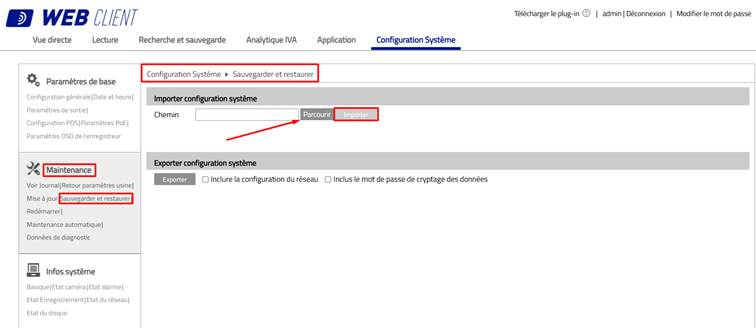
The system will restart and restore your configuration. (User settings, logging, schedules, alarms, storage, network, views, etc.)
Attention :
The internal settings of the IP cameras (resolution, exposure, WDR, smart detection, user accounts, camera network settings, etc.) will not be included in the NVR backup,
Was this article helpful?
That’s Great!
Thank you for your feedback
Sorry! We couldn't be helpful
Thank you for your feedback
Feedback sent
We appreciate your effort and will try to fix the article