Introduction
License Plate Recognition, also known as LPR, allows vehicle detection to be configured and associated results to be reviewed.
- GGM_IPPBL4VM2IR
- GGM_IPPBL4VM8IR
Feature description
The LPR feature automatically identifies license plates captured by a compatible camera and records detected events. It makes it easier to search for a vehicle based on its license plate number, date, or time of passage. It can be used, for example, to control access to a car park or to monitor vehicle entries and exits on a site.
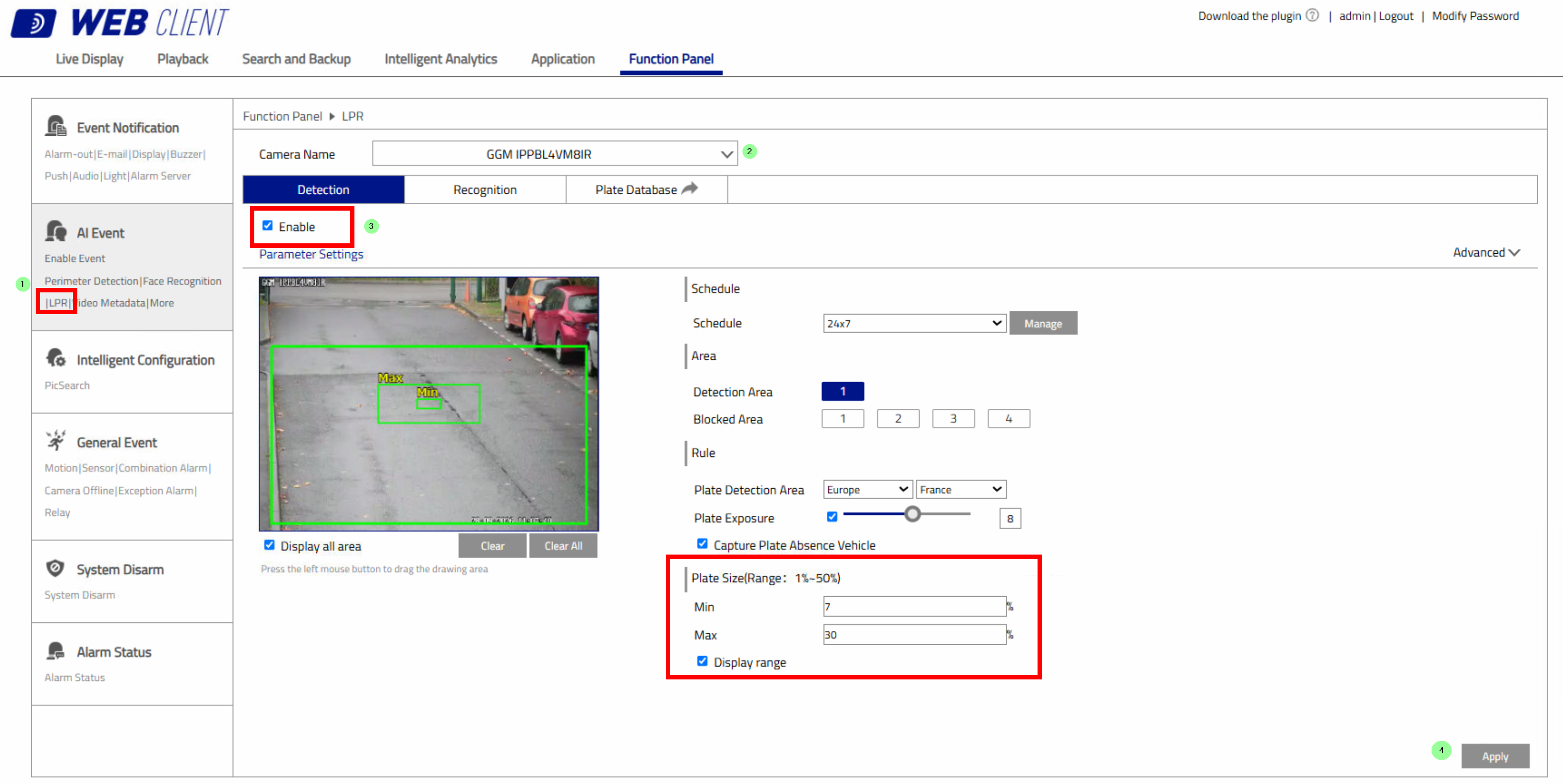
Below, under System Configuration > LPR > Detection, select the compatible camera and tick Enable. Define the detection area directly on the image and adjust the recognition settings: country, license plate exposure, minimum and maximum plate size, and display resolution. Click Apply to save the configuration.
Dans l’onglet Reconnaissance, activez l’identification confirmée et, si nécessaire, la reconnaissance des plaques d’immatriculation étrangères. Vous pouvez associer les détections à un groupe de plaques, créer un calendrier, ajouter un texte d’invite et définir les actions à déclencher : notification push, enregistrement, capture d’image, sortie d’alarme ou position prédéfinie d’une caméra motorisée. Cliquez sur Valider pour sauvegarder les paramètres.
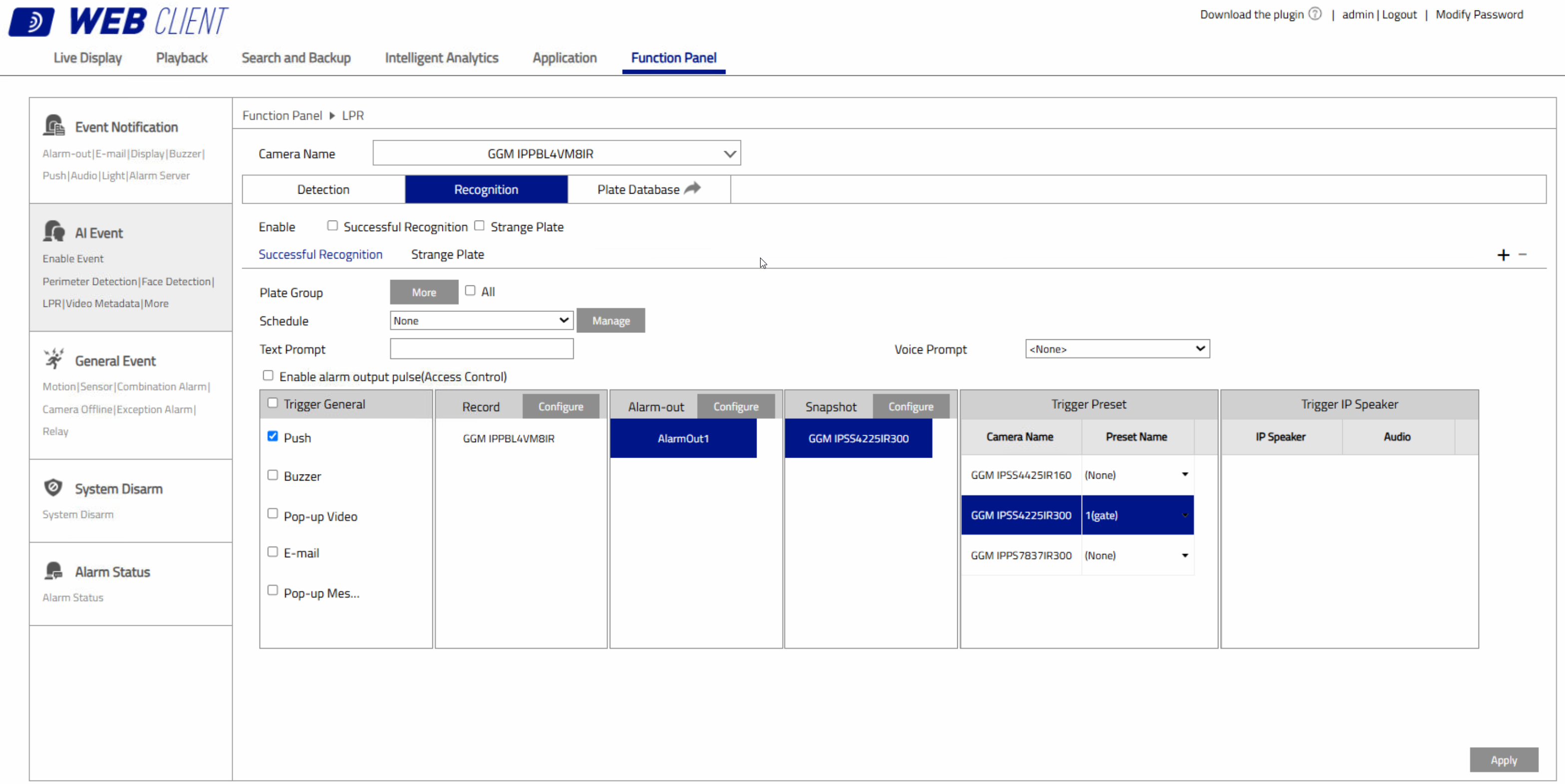
In the Recognition tab, enable confirmed identification and, if required, foreign license plate recognition. You can associate detections with a plate group, create a schedule, add a prompt message, and define the actions to be triggered: push notification, recording, image capture, alarm output, or a preset position on a PTZ camera. Click Apply to save the settings.
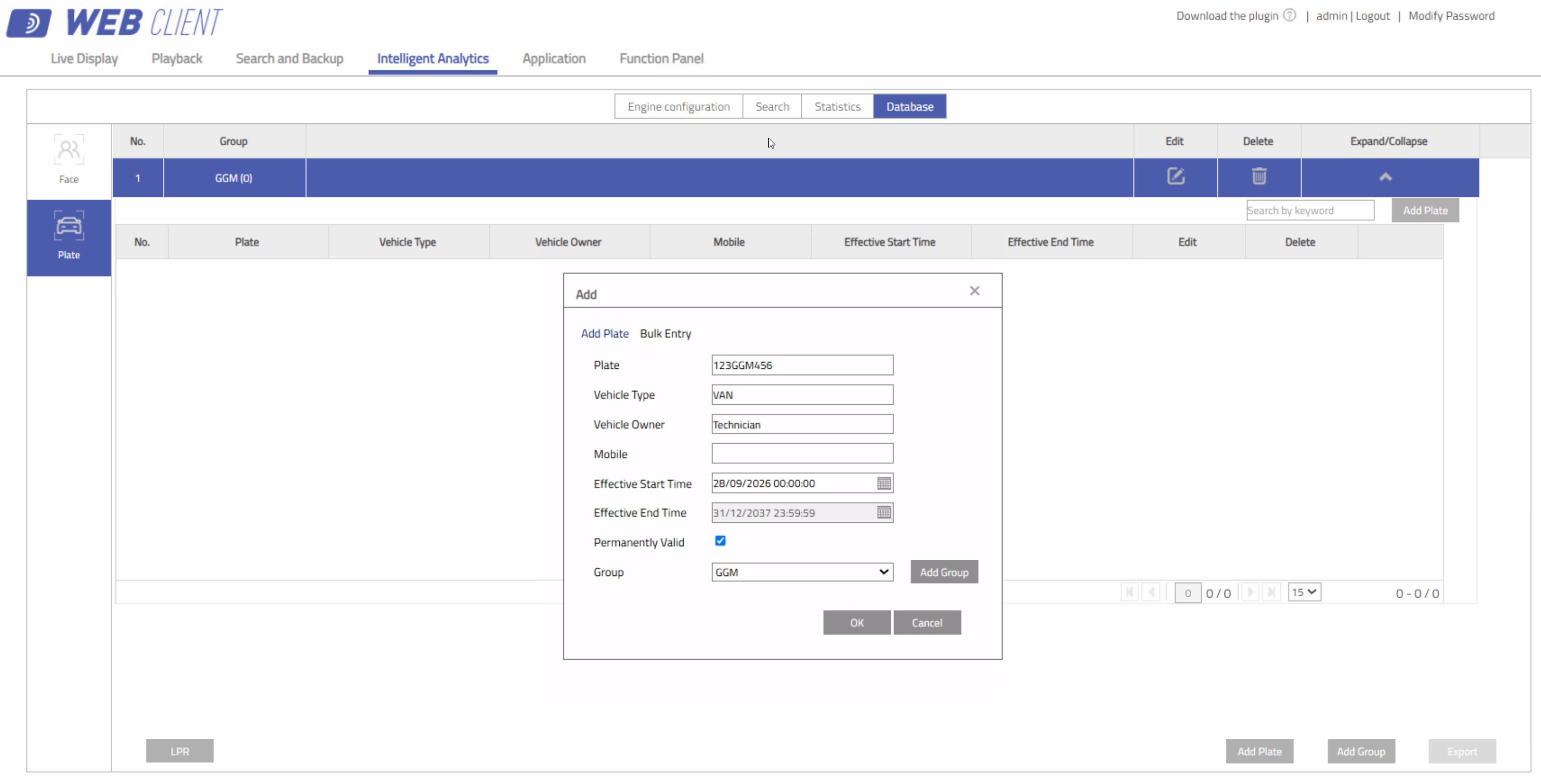
Go to IVA Analytics > Database > LPR, then click Add License Plate. Enter the license plate number and, if required, the vehicle details, owner information, validity period, and associated group. This database can be used to identify authorised vehicles or manage specific lists according to the site’s requirements.
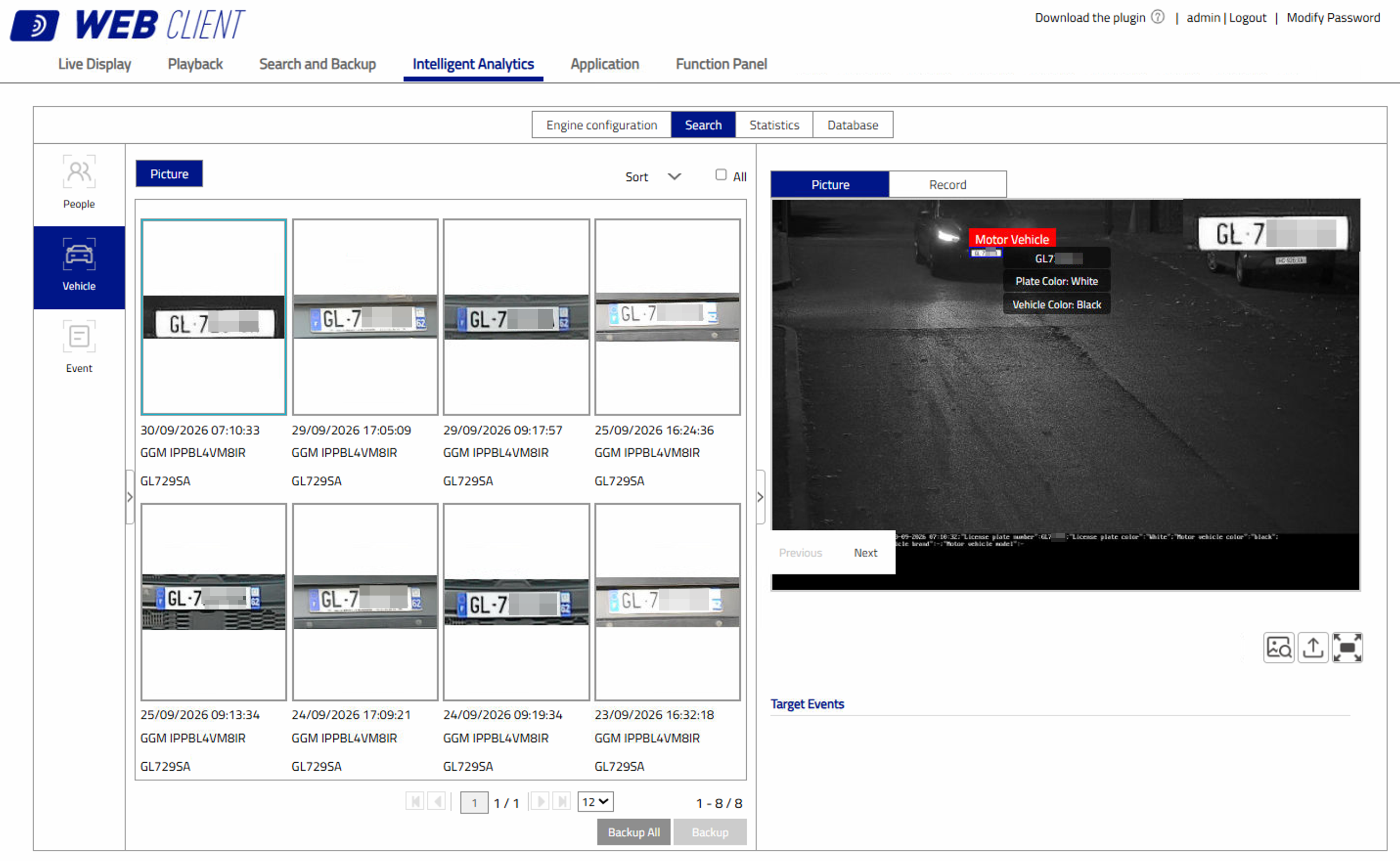
Go to IVA Analytics > Search > Vehicle > Plate, then select the period, the camera and, if required, all or part of the license plate number you are looking for. Click Search to display the recognised license plates, including their image, date, time, and the camera that generated the event. The results can then be saved for easier review or archiving.
Was this article helpful?
That’s Great!
Thank you for your feedback
Sorry! We couldn't be helpful
Thank you for your feedback
Feedback sent
We appreciate your effort and will try to fix the article