A captive portal is a page that authenticates users and gives them access to the network. Be careful when connecting the device: the network must go through the WAN port of the controller, and not through a switch that would act as an intermediary between the controller and the terminals.
Enabling the Captive Portal
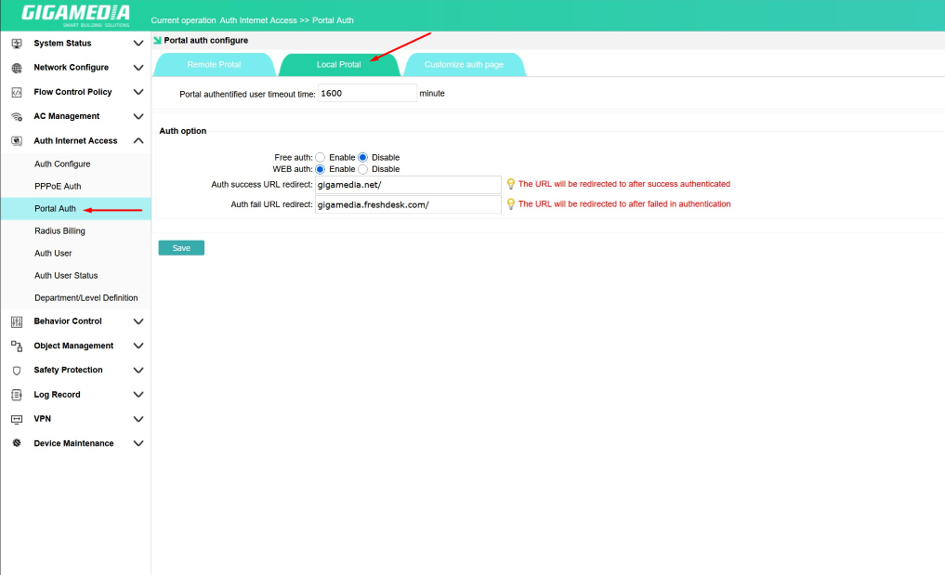
To activate the captive portal, you must first go to "Portal Auth" and then " Local Portal".
You will then be able to set the time before a user logs out, activate free authentication as well as web authentication (via a web interface).
You can then set a redirect to a web page based on the authentication result .
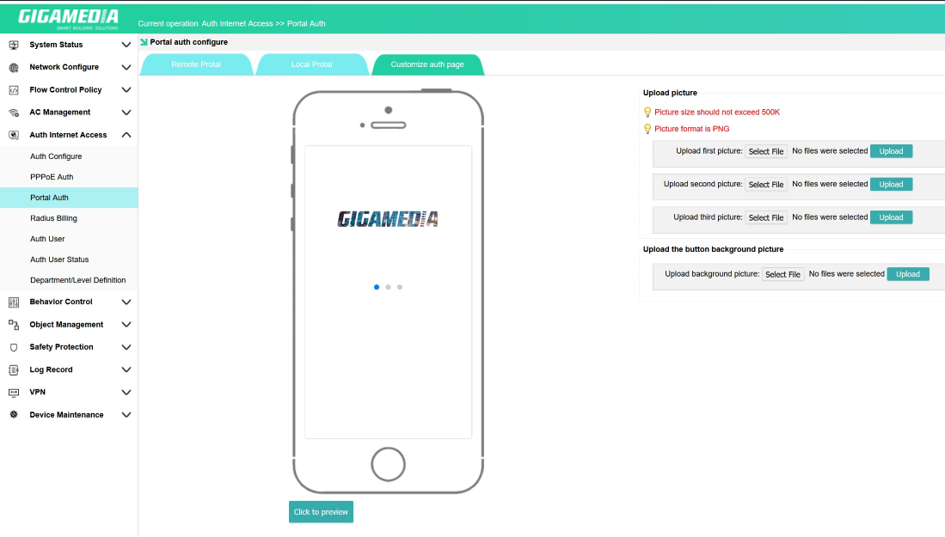
On the "Customize Auth Page", you can customize your page with images (up to three for the presentation images and one for the background image).
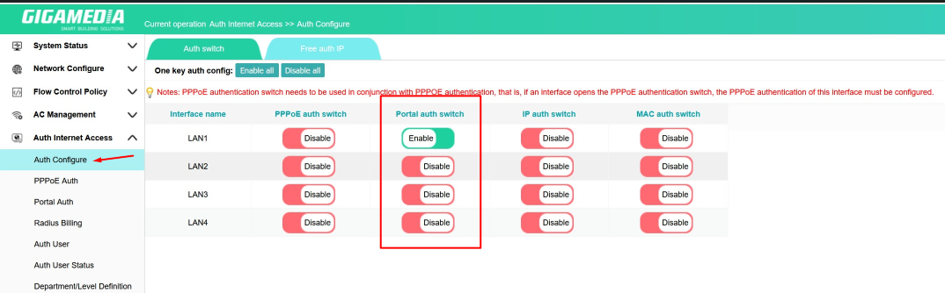
You can then go to "Auth Configure" and then "Auth Switch", where you can decide on which LAN the captive portal will be active.
From the "Auth User" page, you can view users and add them by clicking on the "Add" button.

Pressing the "Add" button will take you to the page below, where you can add
the user's information.
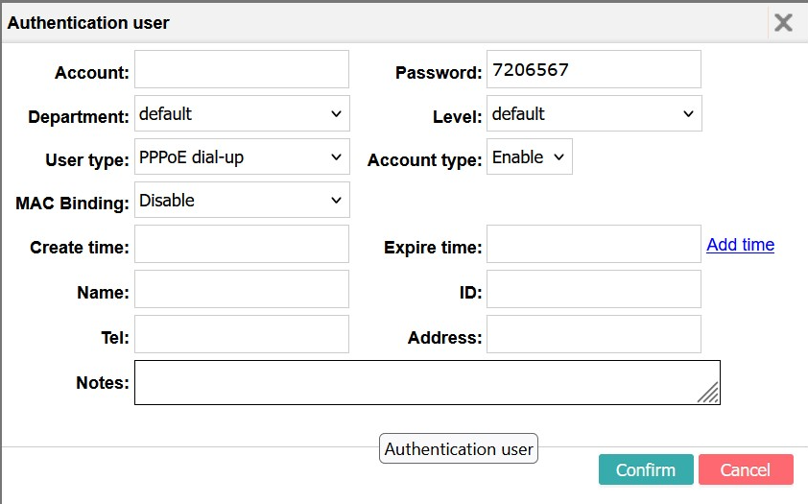
"Account" and "Password" correspond to the username and password that the user must use to log in.
"Department" and "Level" are fields that simplify the organization ( e.g.: "Department": IT; "Level": technician).
"User Type" is used to define the connection type. For example, "Web Password Auth" asks for authentication via a password, while "MAC Address Auth" asks for identification via the MAC address.
"MAC Binding" allows the account to be linked to a MAC address. The user will then only be able to log in with one device.
"Create Time" and "Expire Time" allow you to set up a temporary account. Once the expiration date has passed, it will no longer be possible to log in to this account without changing it.
All the boxes below ("Name", "ID", "Tel", "Address", "Notes") are used to add additional information. They have no impact on the account settings
Was this article helpful?
That’s Great!
Thank you for your feedback
Sorry! We couldn't be helpful
Thank you for your feedback
Feedback sent
We appreciate your effort and will try to fix the article