Contenu du Guide :
1- Schéma / Fonctionnement d’un contrôleur Wifi
2- Installation rapide
1- Schéma / Fonctionnement d’un contrôleur Wifi
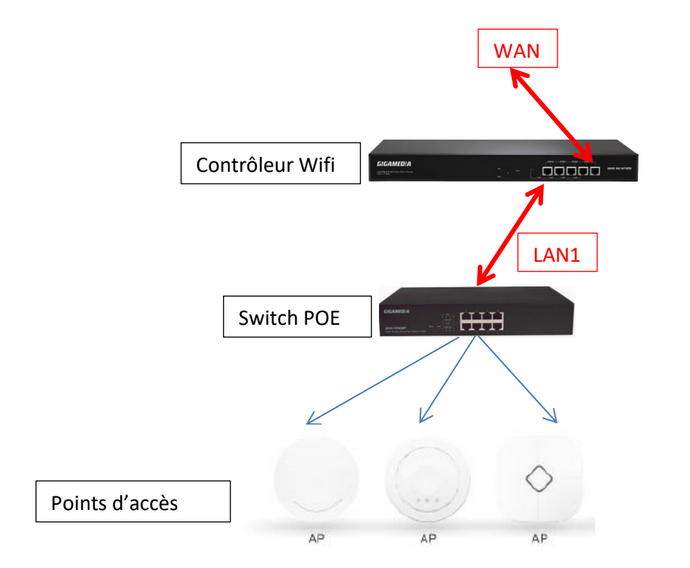
Le contrôleur Wifi permet le déploiement et la gestion facile et rapide de plusieurs points d’accès
Wifi (AP) dans votre réseau.
L’administration du réseau sans-fil intègre un contrôle en temps réel de l’état des Points d’accès (AP),
la qualité de service et une politique de sécurité renforcée.
2- Installation Rapide
Se connecter via votre navigateur Internet Explorer :
Votre carte réseau LAN de votre PC doit être sur le même réseau que le contrôleur - Vous pouvez
utiliser la plage d’adresses IP entre 192.168.10.2 et 192.168.10.254.
Adresse IP par défaut du contrôleur (LAN) : http://192.168.10.1
Identifiant par défaut : admin
Mot de passe : admin
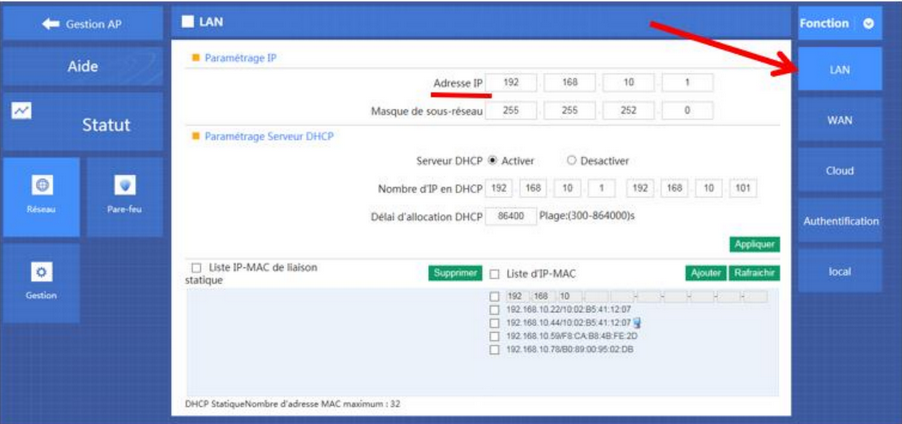
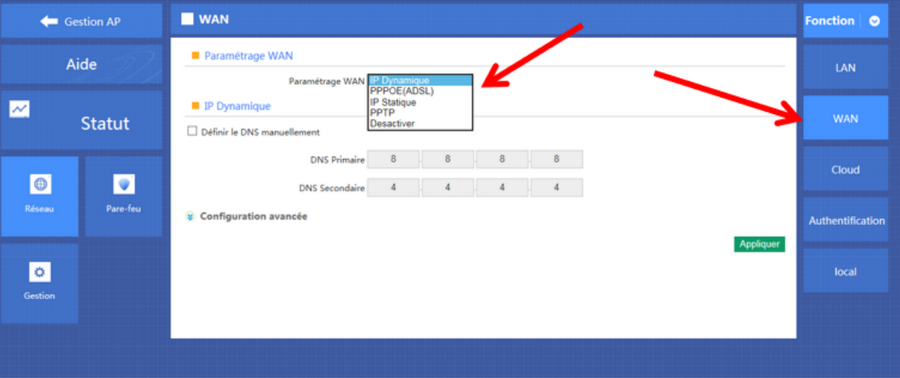
Paramétrage WAN
Choisir votre paramétrage WAN selon votre mode de connexion :
2 méthodes :
a) Gestion des Groupes
b) Zéro Config
a) Création d’un ou plusieurs groupes
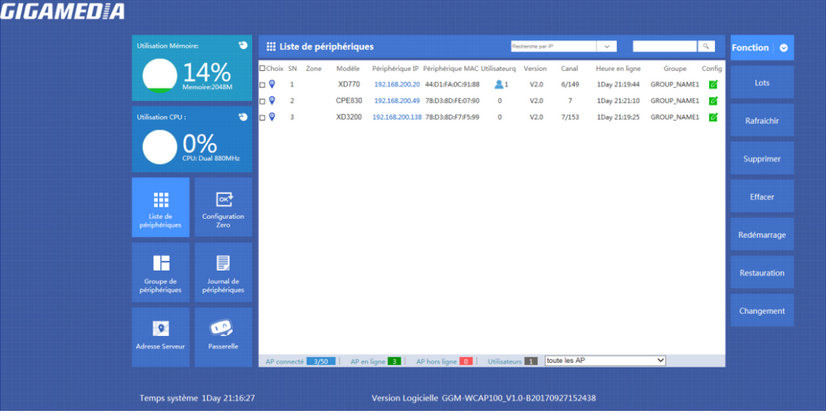
Aller dans Groupe de périphériques et cliquer sur Nouveau pour ajouter un groupe.
 Pour modifier le groupe, cliquer sur
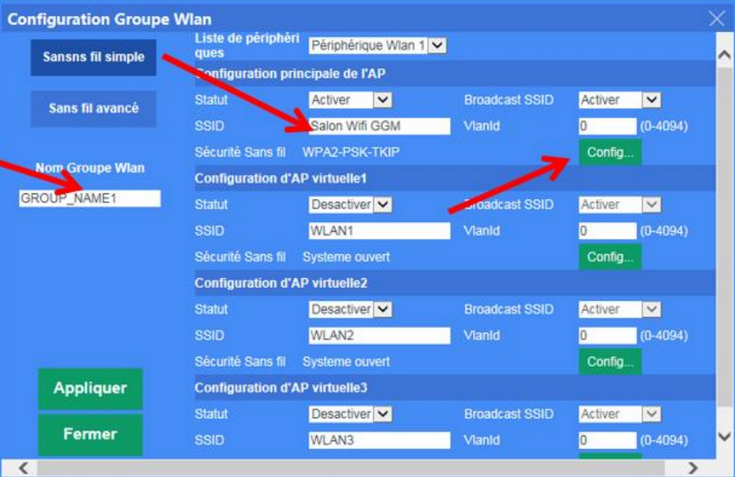
Personnaliser votre configuration Wifi pour ce groupe :
Statut : Activer
SSID : Nom de votre réseau sans fil
Sécurité : Ajouter éventuellement une clé de sécurité Wifi
Ajouter une ou plusieurs bornes : Clique sur +
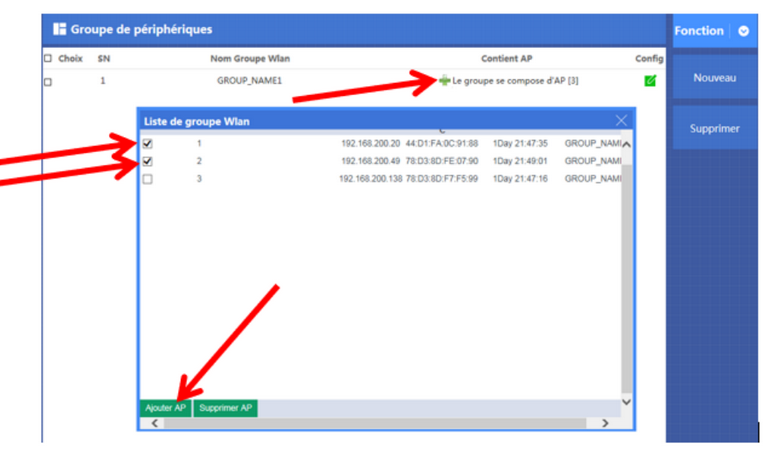
- Sélectionner la ou les bornes à intégrer
- Cliquer sur Ajouter AP
b) Zéro Config - Fonction Plug & Play sans fil
La fonction Zéro Config est la même que la création de groupe.
La configuration sera la même pour toutes les bornes connectées. (Même SSID, même Mot de passe,
même Canal).
Attention : il est recommandé de paramétrer dans un premier temps la Zéro Config avant de
brancher les bornes wifi.
Dans le cas contraire, les bornes sans-fil récupèrerons la configuration uniquement après le
redémarrage des bornes.
Gestion d’accès (restrictions IP, adresse MAC, filtre URL ou bande passante)
Vous avez la possibilité d’utiliser des fonctions avancées comme :
- Le filtrage par adresses IP
- Le filtrage par Ports
- Le filtrage par adresses MAC
- La Qualité de Service pour le réglage de la bande passante
Aller dans Passerelle puis Pare-feu

Pour la QoS, aller dans Gestion puis QoS
Lien pour télécharger le document en PDF
Cet article a-t-il été utile ?
C'est super !
Merci pour votre commentaire
Désolé ! Nous n'avons pas pu vous être utile
Merci pour votre commentaire
Commentaires envoyés
Nous apprécions vos efforts et nous allons corriger l'article