Valid for the following references:
- GGM NVA321604MR
- GGM NVA320002MR
- GGM NVA320004MR
- GGM NVA160002R
- GGM NVA161602R
- GGM NVP2560016MR
- GGM NVP1280016MR
- GGM NVP640016MR
- GGM NVS160001D
- GGM NVS080801D
- GGM NVS040401D
- GGM NVI080801D
- GGM NVI040401D
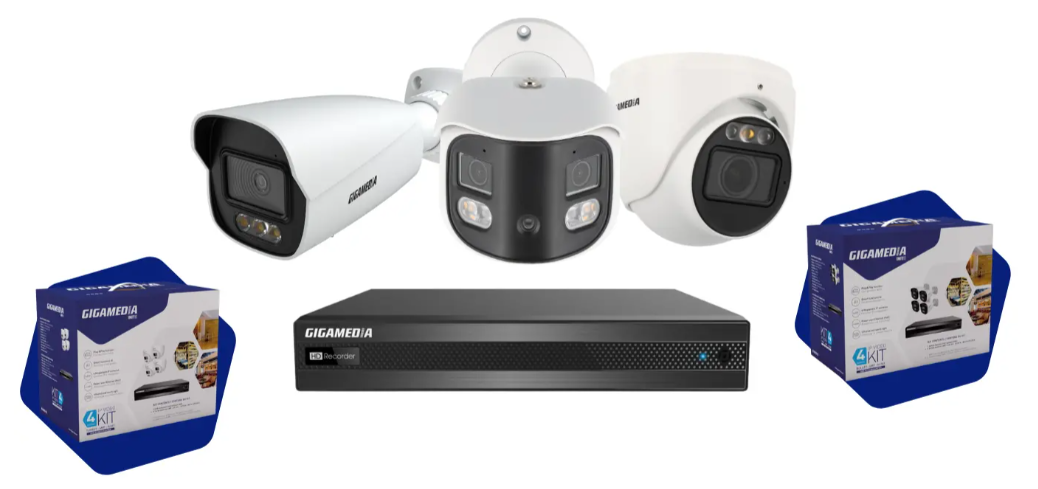
First use GGM IP DISCOVER software and WEB interface
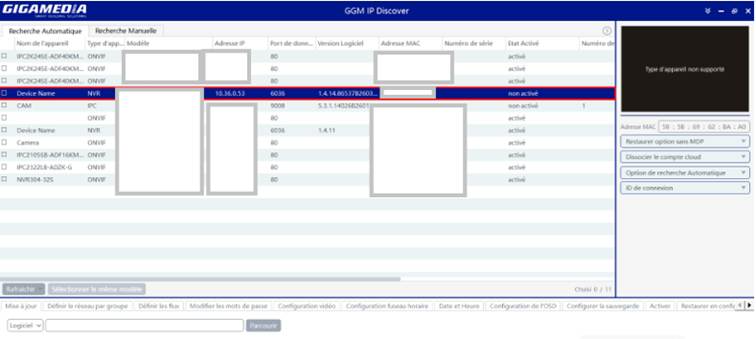
GGM IP DISCOVER is a GIGAMEDIA utility that allows you to:
- Automatically search for Gigamedia cameras and NVRs on the network.
- View their current IP addresses.
- Change the IP address, subnet mask, and network gateway.
- Easy to manage when multiple cameras have the same IP address by default.
Download link for PC: GGM IP DISCOVER
- Open GGM IP DISCOVER
- Identify your device based on its model or MAC address. For first-time use, its status should be: Not Enabled
- Double click on your device to be configured to launch your browser WEB
Interface WEB
When using it for the first time, the site may ask for the installation of a plugin to display the video streams and the recorder interface. After installation, you usually have to refresh the page and then log in again.
Follow the steps :
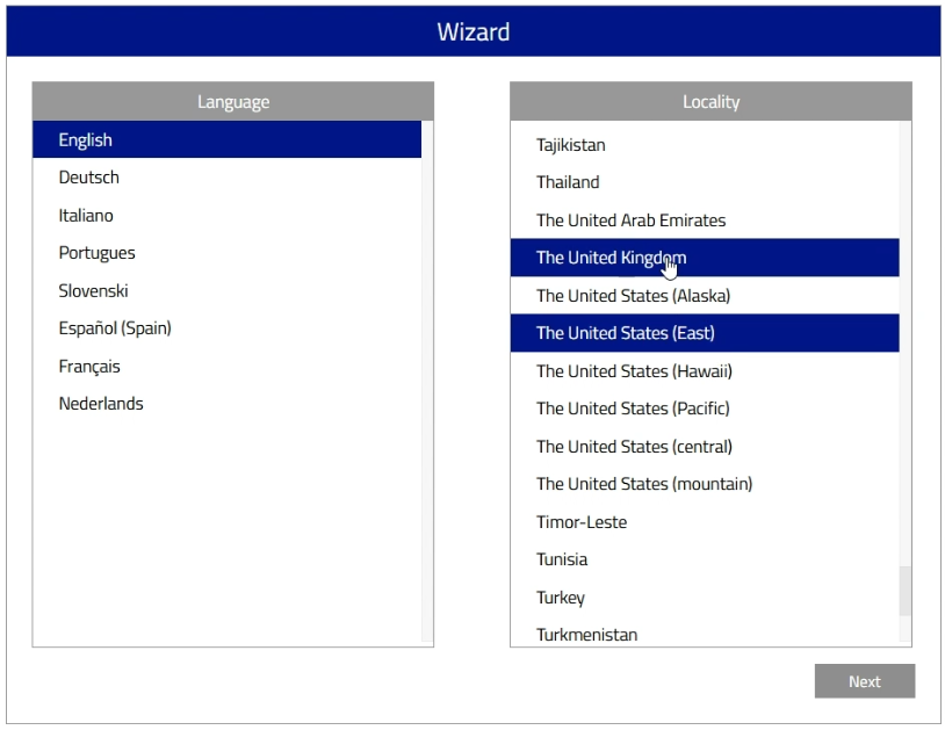
- Language Selection
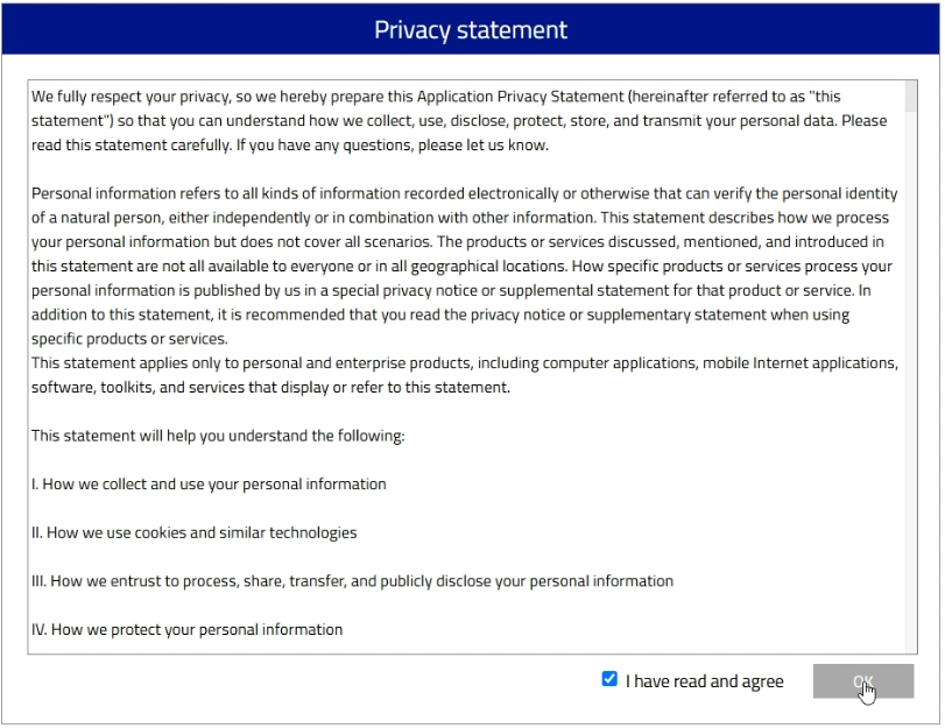
- Privacy Statement
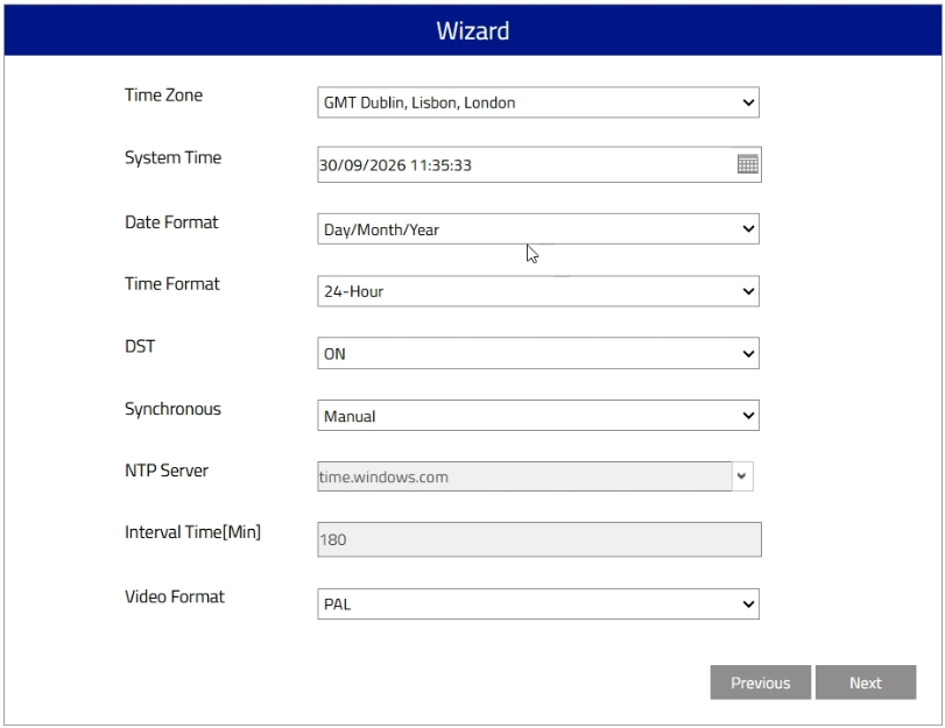
- Date & Time Setting
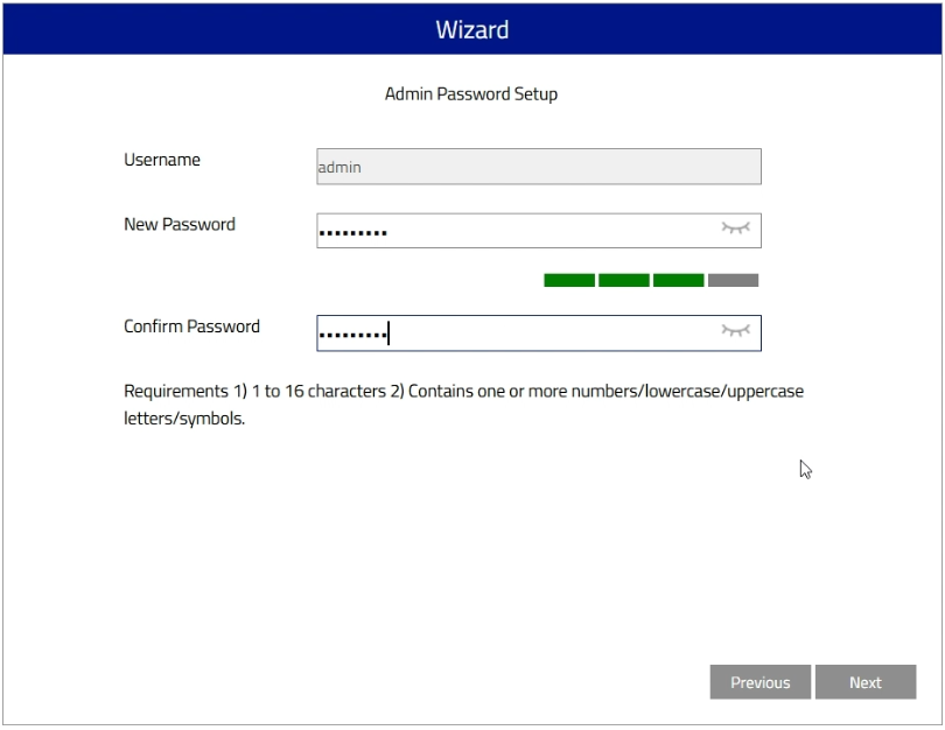
- Setting the Recorder Password
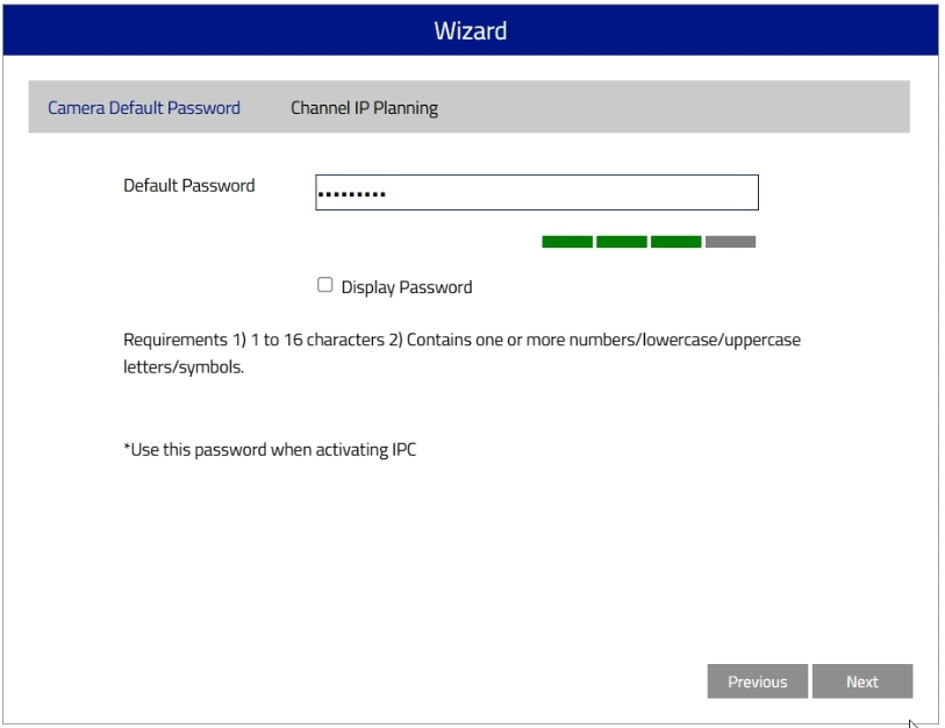
- Setting the camera password:
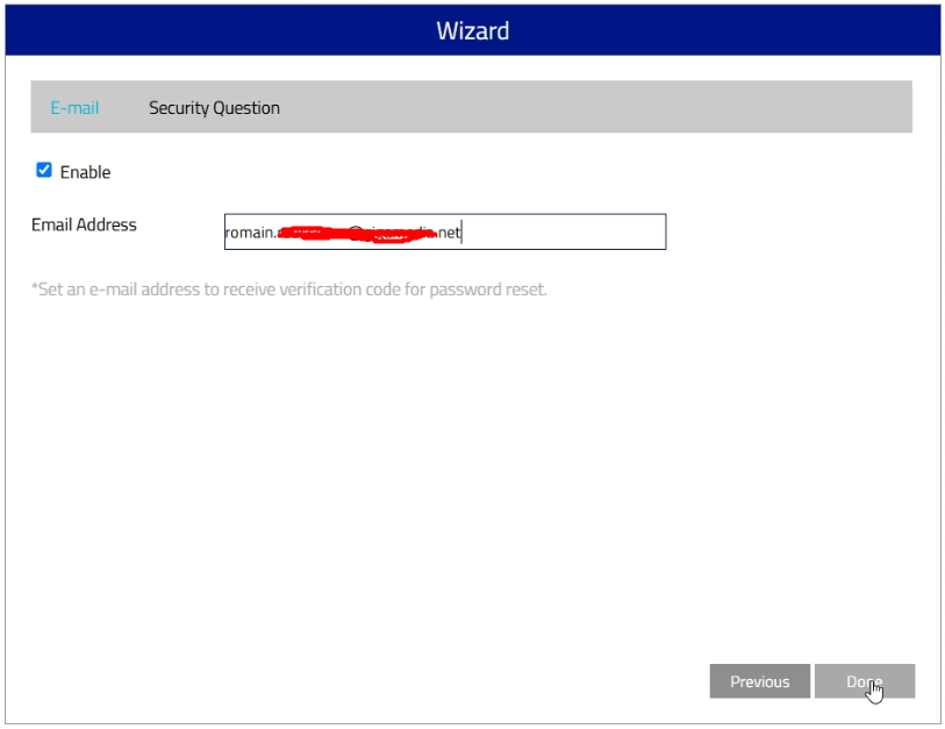
- Password Recovery Method:
- System reboot:
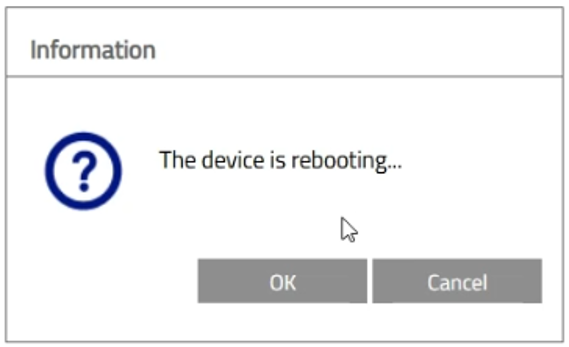
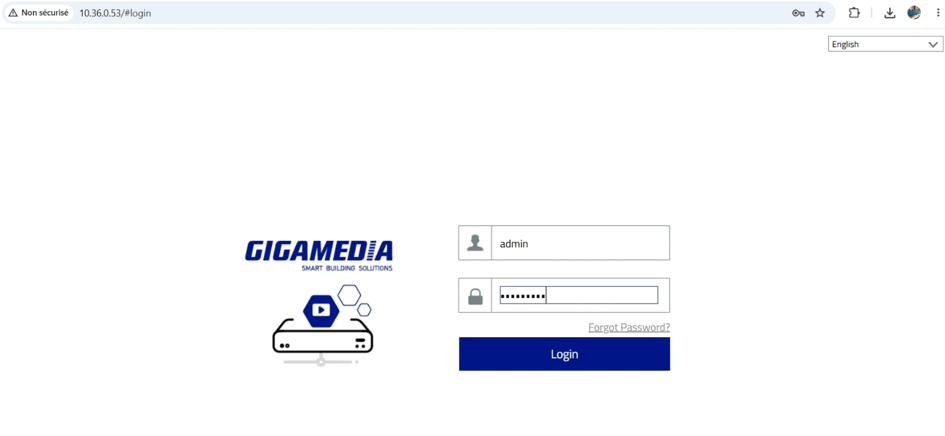
Refresh the page and enter your credentials.
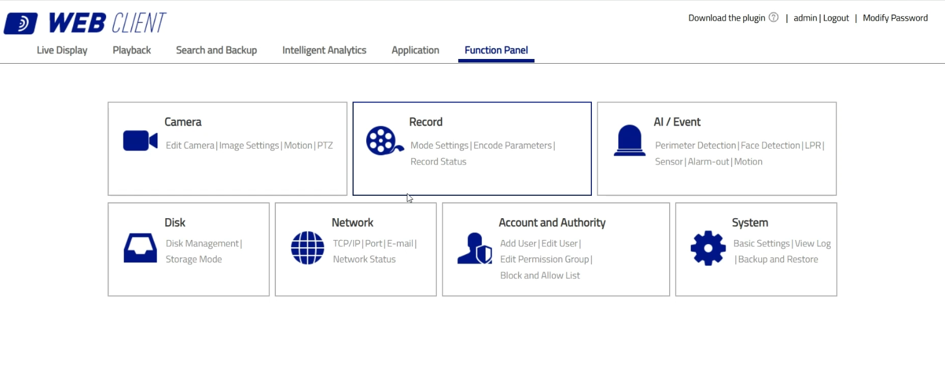
You will have access to the Configuration Menu of your recorder and will have the possibility to modify the initial configuration.
Was this article helpful?
That’s Great!
Thank you for your feedback
Sorry! We couldn't be helpful
Thank you for your feedback
Feedback sent
We appreciate your effort and will try to fix the article