To record a video file from the GGM VIEW application, you need to go to the "Replay" menu.
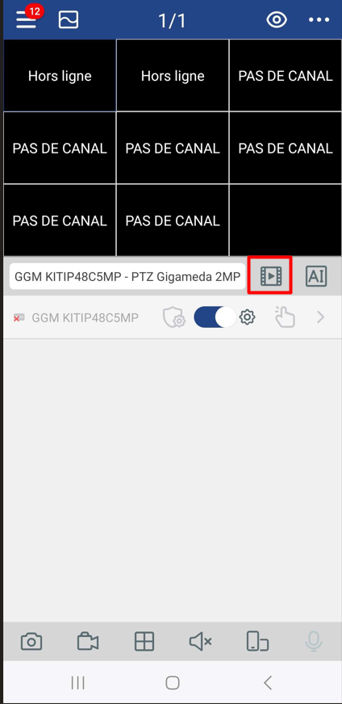
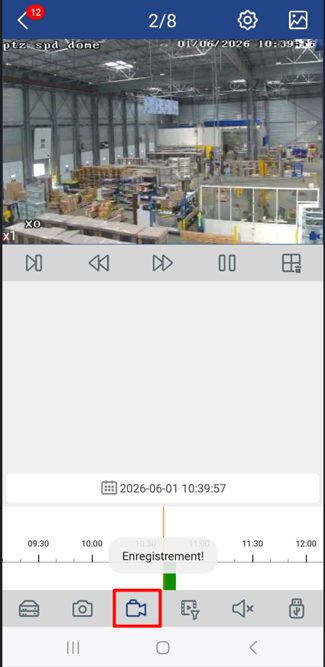
Then, select your cameras and the start time you want to record, then click on the camera icon. This should show "Registration!".
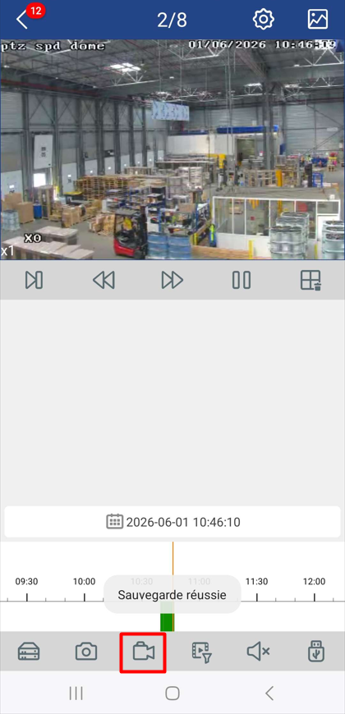
Move the cursor to the time you want to finish your recording (be careful, you can't change the date), then tap the camera icon again. This should show "backup successful."
Now go back and go to the "File List".
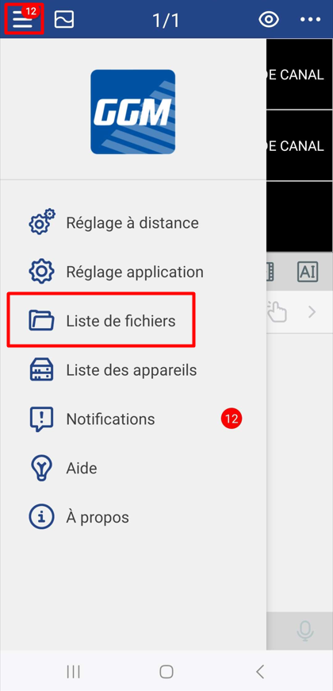
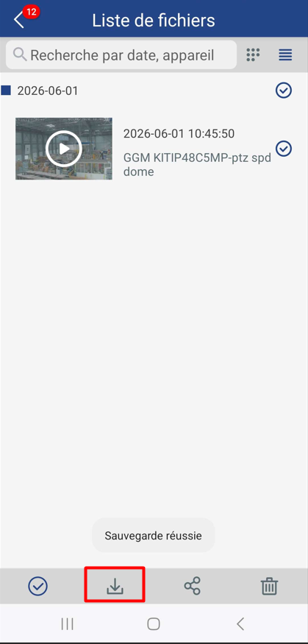
Select the video(s) you want to download, then click the download icon. When the download is complete, the message "backup successful" will be displayed.
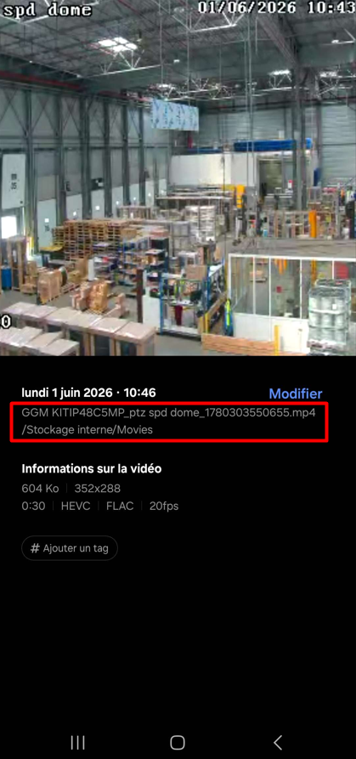
The video will appear normally in your phone gallery, and you can find your way to the file there (the root is, generally speaking, /Internal Storage/Movies)
Was this article helpful?
That’s Great!
Thank you for your feedback
Sorry! We couldn't be helpful
Thank you for your feedback
Feedback sent
We appreciate your effort and will try to fix the article