Valid for those references :
- GGM GS20016G2S
- GGM GS20024G2S
- GGM GS20024P2S
- GGM GS20048G4S
- GGM GS20048P4S
- GGM GS2008G2S
- GGM GS2008P2S
By default, the IP address of GS200 series switches is 192.168.2.1/24. To change it, open the "Network Admin" bar, then click on "Config IP".
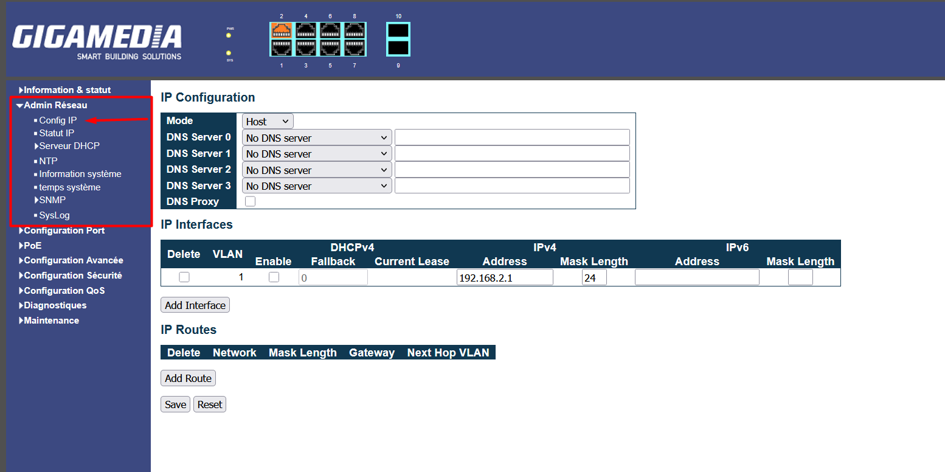
On this page, you can change your IP address as well as your subnet mask. Once these settings have been changed, press the "Save" button.
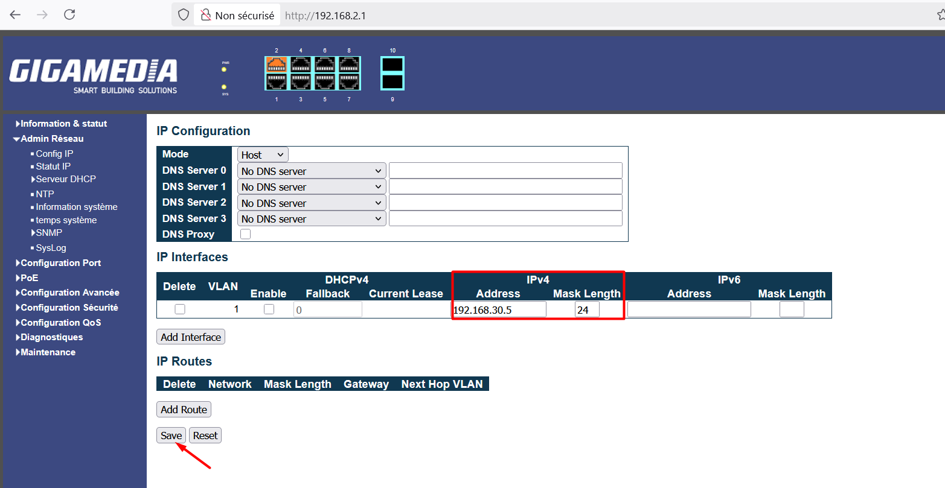
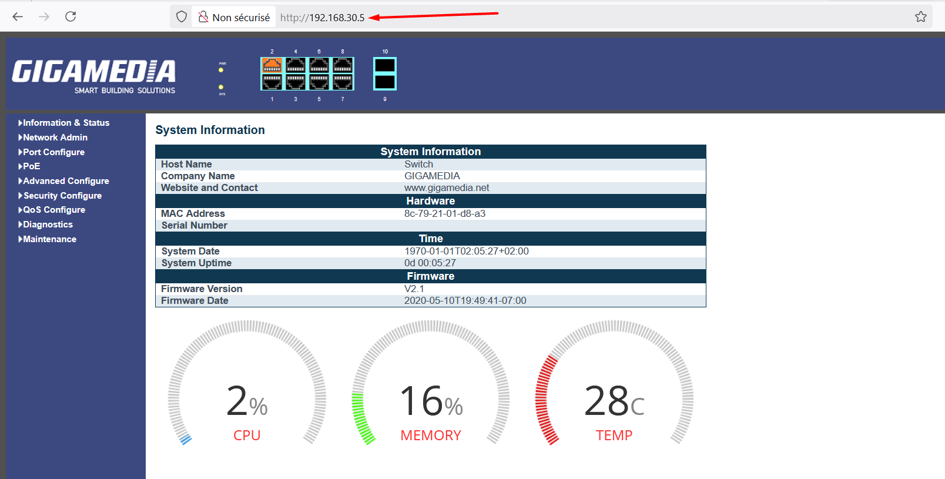
The changed IP address will therefore be the new address of the device, and you will need to enter this new address to access the interface.
Was this article helpful?
That’s Great!
Thank you for your feedback
Sorry! We couldn't be helpful
Thank you for your feedback
Feedback sent
We appreciate your effort and will try to fix the article