Valid for those references :
- GGM WAPC1
- GGM WAPCD2
- GGM WAPCD3
- GGM WAPEXT24
- GGM WAPEXTD
- GGM WAPEXT1800
- GGM WAPAX1800
- GGM WAPAX3600

1- Network Topology / Hardware Overview
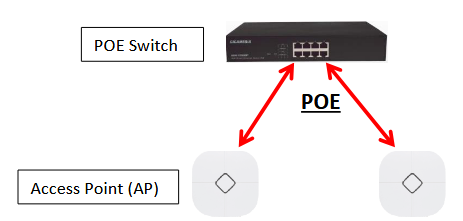
Hardware Overview :
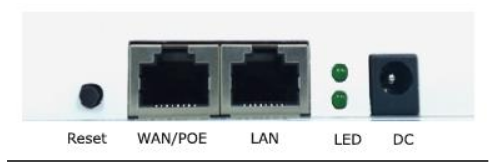
DC: Power Supply used for 12v/1A (optional)
WAN/Poe: Used to connect to the power and Internet
LAN : Linked to the LAN
Reset: Press the reset button about 15 seconds, then release to reset
2- Software Installation
Connect your PC with the LAN Port then login Web Management with Internet Explorer or Google
Chrome:
You must configure your PC with a fixed IP address 192.168.188.XX (X between 2 and 252)
IP Address by default (LAN): http://192.168.188.253
Password : admin
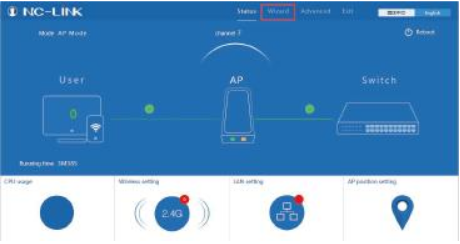
3- Configuration
You can use Wizard to choose the mode you want to configure:
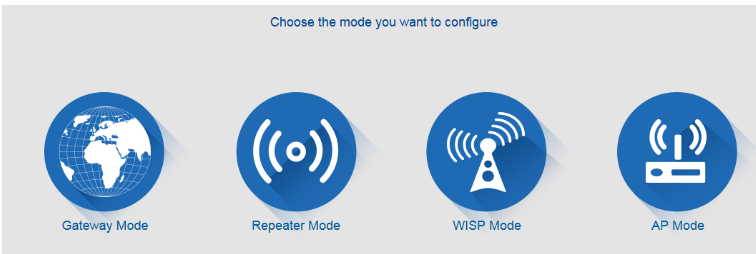
a) AP Mode
Configure the wireless parameters, such as:
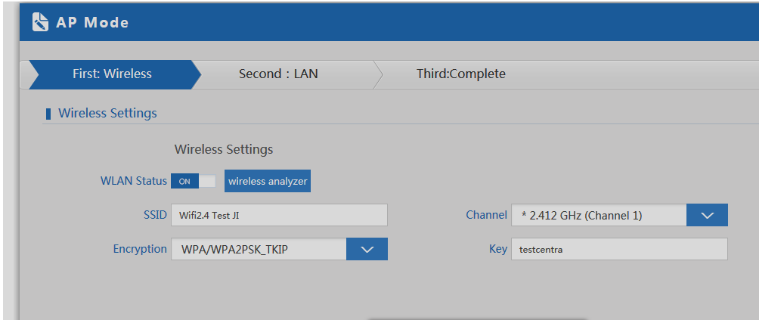
SSID : Wifi Name
Encryption: Authentication Mode
Key: Security Key you want to use
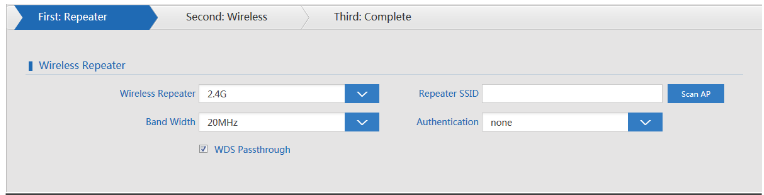
b) Repeater Mode
If you want to have a longer range for wifi, please use this mode. First, you have to link your Repeater
to your Initial Access Point (for example Box)
Repeater SSID: Wifi Name
Scan AP: to scan and link it to your initial Access Point
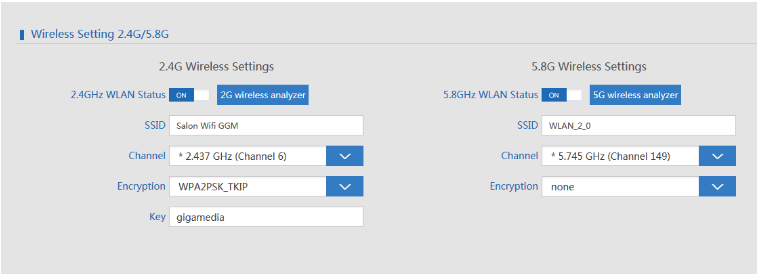
c) Gateway Mode
Please input your information such as:
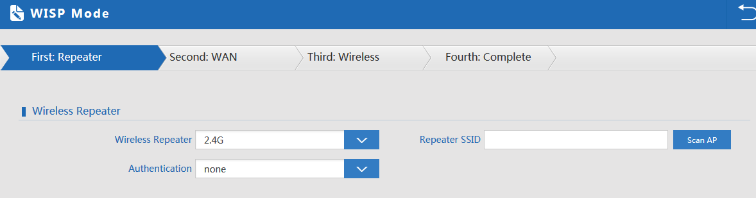
d) WISP Mode
If you have wireless Internet service provider, Use Scan IP, refer to the Gateway Mode for
configuration
Download the Firmware - GGM WAPCD3
-
Was dit artikel nuttig?
Dat is fantastisch!
Hartelijk dank voor uw beoordeling
Sorry dat we u niet konden helpen
Hartelijk dank voor uw beoordeling
Feedback verzonden
We stellen uw moeite op prijs en zullen proberen het artikel te verbeteren