Applies to the following cameras:
- GGM IPCSD2X18IR100
- GGM IPCSD5X33IR150
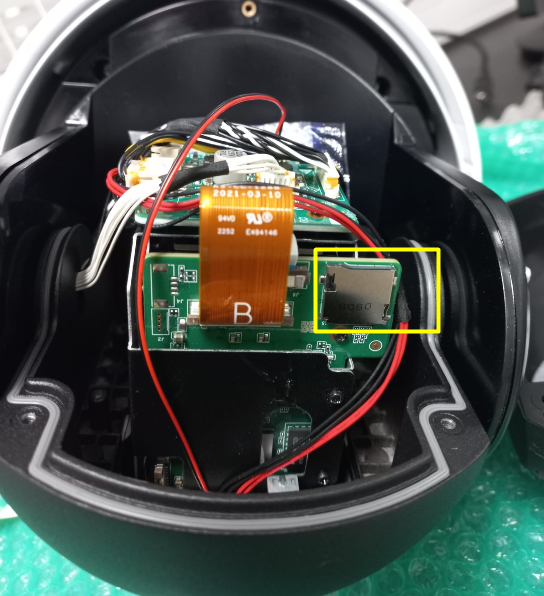
The SD card slot is located on the back of the camera.
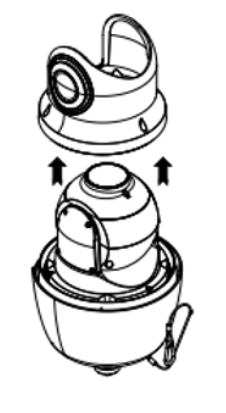
Step 1: Remove the dome cover.
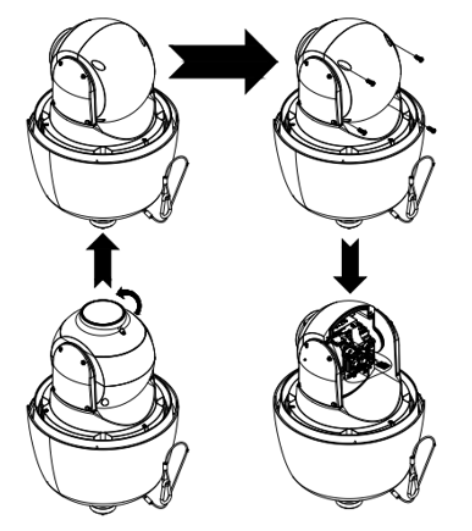
Step 2: Remove the back cover.
Was this article helpful?
That’s Great!
Thank you for your feedback
Sorry! We couldn't be helpful
Thank you for your feedback
Feedback sent
We appreciate your effort and will try to fix the article